Download the App and manage your eSIMs easily
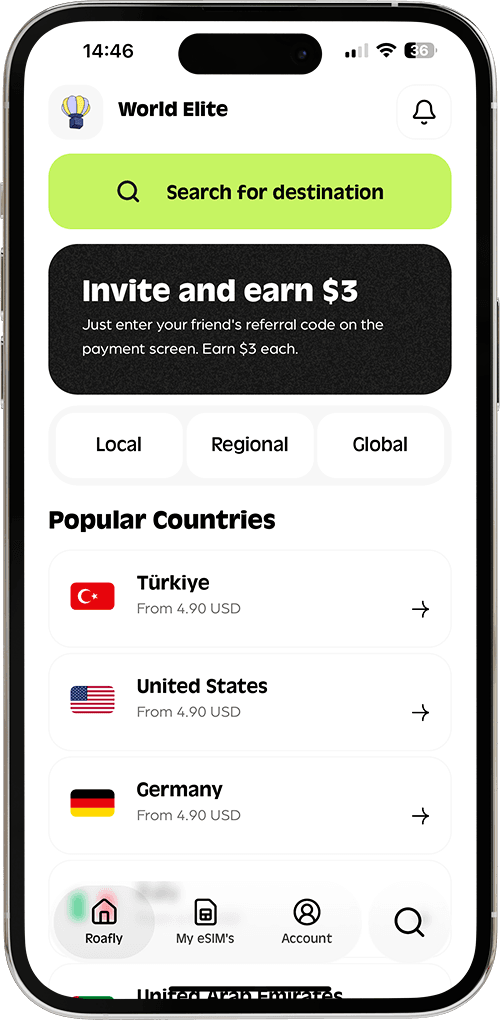
Create your order quickly
See your eSIM details
Track your remaining data
Download the App and manage your eSIMs easily
Create your order quickly
See your eSIM details
Track your remaining data
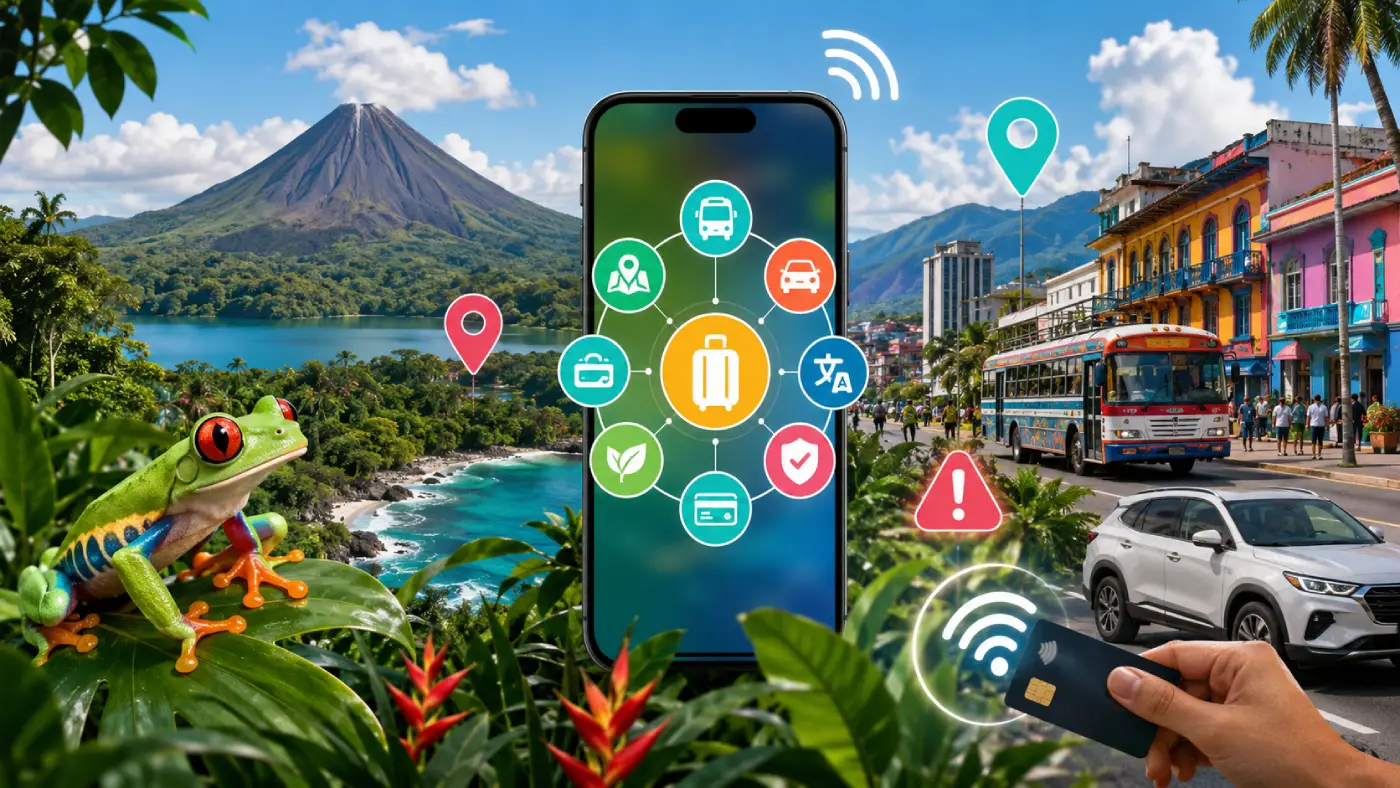
Discover the ultimate hyper-local apps for transit, payments, dining, and navigation in Costa Rica. Plus, learn how to stay connected with the top eSIM.
Kölbi (ICE), Liberty
Instant delivery
4.90 USD From 4.41 USD

Ethan Brooks
Updated Jul 19, 2026
13 min read
Jump to section
👇Best for most trips
Kölbi (ICE), Liberty

Costa Rica
10 GB · 30 days
Enough for maps, bookings and everyday travel.
Hotspot supported
$24.90
$22.41
COSTARICA10 automatically applied
$4.90From 4.41 USD
10% reader discount
No translation tool, navigation app, emergency service, or ride-hailing platform will help when you are standing beside an unmarked road without mobile data.
Costa Rica has dependable connectivity in San José, Liberia, and major tourism corridors, but signal strength can become inconsistent around remote beaches, rainforest lodges, mountain passes, and national parks. That makes reliable mobile data the foundation of every other app in this guide.
Roafly is the absolute first service to set up for a Costa Rica trip. It gives you mobile data immediately after landing, without searching for a SIM counter, handling a tiny plastic card, or paying airport convenience prices.

What it does: Delivers instant, high-speed mobile data without the hassle of physical SIM cards or airport queues.
The Pro-Tip for 2026: Install your Costa Rica eSIM profile through the Roafly app while you are still at your home airport. Keep the line switched off until arrival, then activate it after landing so your maps, ride apps, and messages begin working immediately.
The Catch: Your smartphone must be eSIM compatible and unlocked from your home carrier.
Choose the perfect data plan for your trip
Exclusive Reader Bonus!
Enjoy an extra %10 OFF your first Roafly eSIM purchase as a thank you for reading.
Activate Roafly before leaving home rather than relying on airport Wi-Fi during setup. Travelers comparing data allowances, trip lengths, and coverage options should also read Best eSIM for Costa Rica: Guide to Plans, Prices, and Coverage.
Costa Rica does not have one unified public transportation network with a single official journey planner. Bus routes are operated by different companies, departure information may be scattered, and terminals in San José can be several blocks apart.
Global apps can help, but local knowledge matters. Install both a ride-hailing option and a Costa Rica-focused bus planner instead of expecting one platform to handle every journey.
Uber remains the most practical ride-hailing app for many visitors in the Greater San José area and selected tourism destinations. It is especially useful for avoiding fare confusion, explaining an address without fluent Spanish, and seeing the driver’s route.

What it does: Connects you with nearby drivers, displays an estimated fare, processes in-app payments, and lets you share trip details with another person.
The Pro-Tip for 2026: At Juan Santamaría International Airport, follow the pickup instructions shown inside the app and confirm the exact meeting point with the driver. Airport pickup practices can be less straightforward than at a hotel or shopping center.
The Catch: Driver availability falls sharply outside the Central Valley and major tourism hubs. Ride-hailing also continues to operate in a complicated regulatory environment, so pickup locations may occasionally be adjusted.
Always compare the license plate, vehicle model, and driver photograph before entering. In nightlife districts, request the ride from a well-lit business entrance rather than from an isolated roadside location.
For destination-specific precautions, common tourist traps, and transport risks after dark, consult Costa Rica Nightlife Guide: Clubs, Scams & Party Zones and Is Costa Rica Safe?.
DiDi is the most useful ride-hailing backup when Uber prices surge or nearby availability is limited. Its Costa Rican coverage is strongest around San José and the Central Valley rather than in remote coastal communities.
What it does: Provides app-based private rides with upfront trip information and digital payment options.
The Pro-Tip for 2026: Register before flying and add a payment card while you can easily receive verification messages. When both platforms have drivers nearby, compare DiDi and Uber before confirming.
The Catch: Coverage and driver density can be much thinner than Uber outside San José, so it should be treated as a backup rather than your only transport plan.
Do not wait until midnight in a small beach town to discover that no drivers are online. Ask your accommodation about local taxis or prearranged transfers earlier in the day.
Yo Viajo is one of the most valuable Costa Rica-specific tools for travelers attempting to use public buses. It helps untangle a system where routes, operators, terminals, and timetables are not always presented through one central source.
What it does: Helps users search Costa Rican bus and train routes, departure information, destinations, and transport options.
The Pro-Tip for 2026: Search your route the night before, screenshot the terminal location, and arrive early. Show the destination name to a station employee because two buses with similar routes may depart from different terminals.
The Catch: Treat schedules as planning guidance rather than a guarantee. Road delays, operator changes, holidays, and informal timetable adjustments may affect departure times.
Carry small-denomination Costa Rican colones for local buses. Not every driver or ticket counter accepts foreign cards, large notes, or mobile payments.
Travelers deciding between buses, shuttles, rental cars, and domestic flights should factor transport costs into How Much Does a Trip to Costa Rica Cost? Budget vs. Luxury.
Costa Rica is card-friendly in cities, supermarkets, established restaurants, and larger hotels. However, cash still matters at roadside sodas, rural bus stations, small parking areas, local markets, and remote attractions.
The country’s dominant person-to-person payment network is SINPE Móvil, but most short-term visitors cannot simply download a standalone tourist wallet and start using it.
SINPE Móvil links a Costa Rican bank account to a mobile number, allowing fast transfers between participating financial institutions. Locals use it constantly for small purchases, services, shared bills, and direct payments.
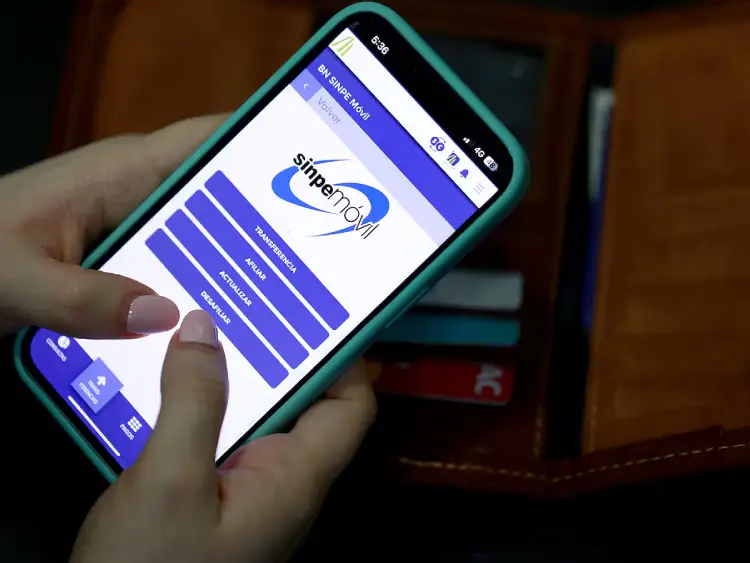
What it does: Sends Costa Rican colones to a registered mobile number through participating local banking apps.
The Pro-Tip for 2026: Recognize the phrase “SINPE Móvil” even when you cannot use it yourself. When a vendor offers SINPE only, ask whether they also accept cash, Visa, Mastercard, or a payment link.
The Catch: Visitors generally need an eligible Costa Rican financial account and an affiliated phone number. It is not a universal travel wallet that can be activated with any foreign card.
Do not build your payment strategy around SINPE unless you already bank in Costa Rica. Bring at least two physical cards, enable transaction notifications, and keep emergency cash separate from your main wallet.
Long-stay travelers establishing local banking arrangements may find the payment ecosystem more relevant after completing residency or remote-work formalities. See Costa Rica Digital Nomad Visa: Requirements, Income, Rules & Process for broader planning considerations.
Apple Wallet and Google Wallet provide a convenient way to use supported foreign cards at contactless terminals. They are particularly useful in supermarkets, chain pharmacies, modern restaurants, and larger tourism businesses.
What it does: Stores compatible payment cards and enables contactless payments through your phone or smartwatch.
The Pro-Tip for 2026: Add two cards from different issuers before departure. If one bank blocks a transaction, you will have a second payment method ready without opening your physical wallet in public.
The Catch: Contactless acceptance is not universal, especially at rural businesses, small bus operators, informal parking areas, or family-run establishments.
Never assume a digital wallet eliminates the need for a physical card. Some terminals require chip insertion, and hotels or rental-car companies may request the original card used for the reservation.
Road navigation is where many otherwise organized Costa Rica trips go wrong. Addresses may rely on landmarks, road conditions change quickly, and the shortest-looking route can turn into an unpaved mountain road or a river crossing.
A live navigation app and a separate offline map are both mandatory for self-drive itineraries.
Waze is the house-standard driving app for Costa Rica. Locals commonly use it because community traffic reports can be more valuable than static directions when dealing with congestion, crashes, closures, and slow mountain roads.
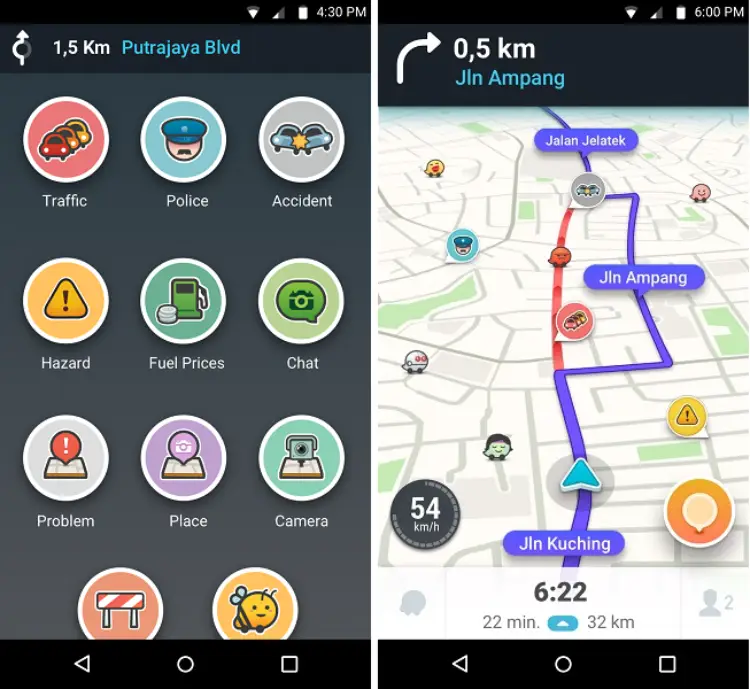
What it does: Provides turn-by-turn driving directions, live traffic information, incident reports, and route recalculation.
The Pro-Tip for 2026: Search for the exact hotel, restaurant, park entrance, or saved pin rather than typing a conventional street address. Review the full route before driving and reject suspicious shortcuts through rivers, private roads, or rough mountain tracks.
The Catch: Waze prioritizes efficient routing, not rental-car suitability. A route may technically exist but still be inappropriate for a low-clearance vehicle, especially during the rainy season.
Download Roafly data before driving away from the airport so traffic information and rerouting remain available. For a detailed comparison of navigation tools and common routing mistakes, read Driving in Costa Rica: Waze vs. GPS & Navigation Guide.
Organic Maps is an excellent offline fail-safe for remote travel. It is useful around national parks, smaller coastal roads, rainforest areas, and regions where live navigation can stop updating after signal loss.
What it does: Stores downloadable offline maps and provides navigation without requiring a continuous mobile connection.
The Pro-Tip for 2026: Download the complete Costa Rica map package before departure, then save your accommodation, rental-car office, trailhead, and nearest fuel station as favorites.
The Catch: Offline maps cannot provide dependable live traffic conditions, recent road closures, or real-time hazard reports.
Use Organic Maps as insurance, not as a reason to ignore road advice from your hotel or rental agency. In remote areas, locally reported bridge damage or flooding may be more important than any app-generated route.
English is widely used in major tourism businesses, but Spanish becomes increasingly important when using local buses, visiting pharmacies, ordering at small sodas, handling roadside problems, or checking into family-run accommodation.
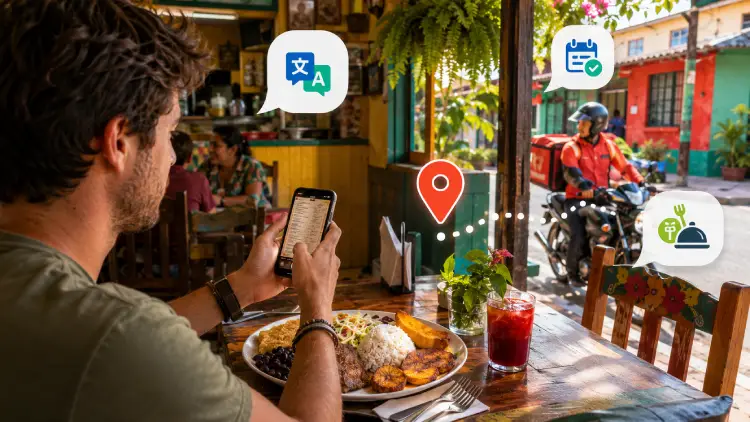
Translation and delivery apps reduce friction, but they work best when installed and configured before you are hungry, tired, or stranded.
Google Translate is the most practical language tool for short interactions, menus, warning signs, medication instructions, and transport questions.
What it does: Translates typed text, speech, photographs, and camera images between English and Spanish.
The Pro-Tip for 2026: Download Spanish for offline use and practice opening camera translation before the trip. Save critical phrases about allergies, medical conditions, dietary restrictions, and lost property in your notes.
The Catch: Camera and conversational translations can misread slang, handwritten menus, regional expressions, and technical medical language.
For important safety or medical communication, show the translated sentence rather than relying only on audio playback. Keep wording simple and avoid idioms.
Uber Eats is useful in San José and other populated service areas when you need food delivered to a hotel, apartment, or coworking space. It can be particularly helpful during heavy rain, late arrivals, or remote-work days.
What it does: Lists participating restaurants, displays menus, processes orders, and tracks delivery progress.
The Pro-Tip for 2026: Place the location pin at the building entrance and add a short Spanish landmark note. Costa Rican addresses may be described relative to recognizable places rather than by a precise street number.
The Catch: Coverage is concentrated in urban and heavily visited areas. Remote beaches, mountain lodges, and small towns may have few restaurants or no delivery drivers.
Confirm that your accommodation allows lobby delivery. In gated communities or condominiums, message the driver with the security entrance name rather than expecting them to locate your unit automatically.
Choosing an area with nearby restaurants, supermarkets, transport, and delivery coverage can significantly improve a longer stay. Compare destinations in Where to Stay in Costa Rica: Best Areas & Towns Guide.
Costa Rica’s natural environment is part of its appeal, but it also creates real operational risks. Heavy rain, flooding, rough surf, landslides, earthquakes, volcanic activity, and isolated roads can turn a routine excursion into an emergency.
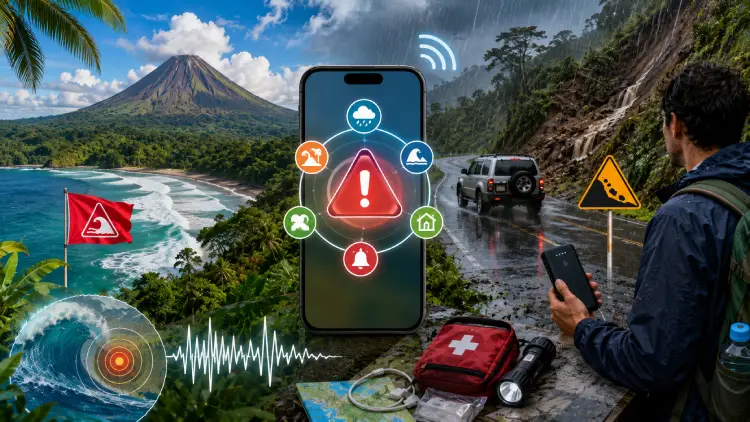
General travel apps are not enough. Download at least one Costa Rica-specific safety resource and the national emergency communication app.
OIJ CR Safe is a traveler-focused safety app from Costa Rica’s Judicial Investigation Police. It provides crime-prevention information and resources in both Spanish and English, with substantial content available offline.
What it does: Gives visitors safety guidance, crime-prevention advice, useful contact information, and access to traveler-oriented resources.
The Pro-Tip for 2026: Open the app once before departure and review the offline sections. Save information relevant to rental-car theft, nightlife precautions, personal documents, and reporting an incident.
The Catch: It is an information and prevention tool, not a substitute for contacting emergency services during an active threat.
Keep passport scans, insurance details, and accommodation information in a secure encrypted folder. Never leave passports, electronics, or visible bags inside a parked rental car, including at beaches and trailheads.
Solo travelers should combine the app with the practical routines in Solo Travel in Costa Rica.
Emergencias 9-1-1 CR is the national emergency app designed to support direct reporting through calls, chat, geolocation, and a panic function.
What it does: Helps users contact emergency services through phone, chat, and panic-button features while sharing the alert’s location.
The Pro-Tip for 2026: Install it, grant location permissions, and complete any available setup before beginning road trips or outdoor activities. Keep your phone charged and carry a power bank on long excursions.
The Catch: The app still depends on phone capability, permissions, battery power, and available connectivity. In areas without service, send your itinerary to another person before departure and carry offline directions.
In an immediate emergency, call 9-1-1 when possible. Do not spend valuable time navigating multiple apps when a direct emergency call is available.
Install the Roafly app, purchase your data package, and add the eSIM profile while connected to reliable home Wi-Fi.
Register Uber and DiDi, add payment methods, verify your phone number, and enable trip-sharing features.
Download Costa Rica in Organic Maps and Spanish in Google Translate for offline use.
Install Yo Viajo, OIJ CR Safe, and Emergencias 9-1-1 CR, then grant only the permissions needed for their essential functions.
Add two cards to Apple Wallet or Google Wallet, notify your banks of travel when required, and carry a backup physical card plus Costa Rican colones.
Your Costa Rica digital toolkit should be ready before boarding—not assembled beside the baggage carousel. With Roafly providing immediate connectivity and the right local apps handling transport, payments, navigation, language, and emergencies, your phone becomes a genuine travel command center rather than another source of stress.
Best for most trips
Kölbi (ICE), Liberty
Costa Rica
10 GB · 30 days
Enough for maps, bookings and everyday travel.
Hotspot supported
$24.90
$22.41
COSTARICA10 automatically applied
$4.90From 4.41 USD
10% reader discount

Manage your eSIM in the app
Install, top up and track data.
