Download the App and manage your eSIMs easily
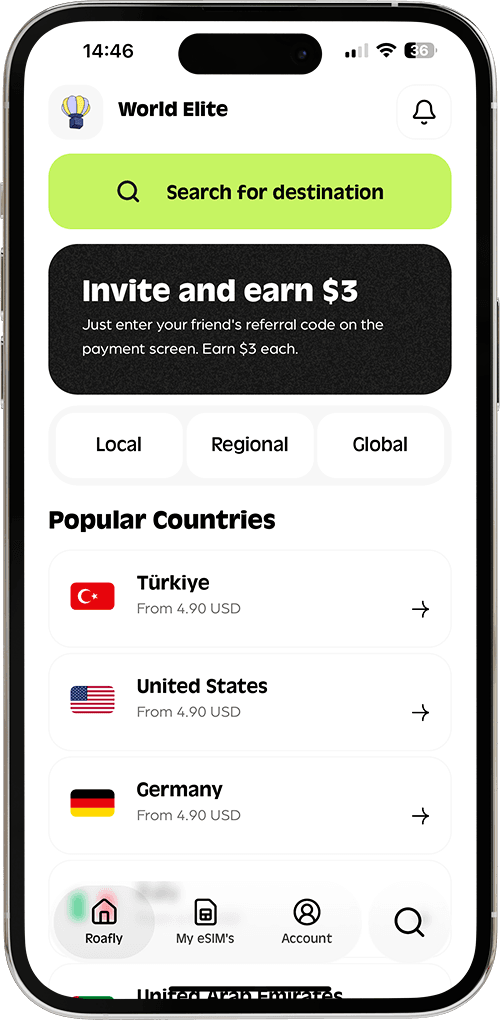
Create your order quickly
See your eSIM details
Track your remaining data
Download the App and manage your eSIMs easily
Create your order quickly
See your eSIM details
Track your remaining data
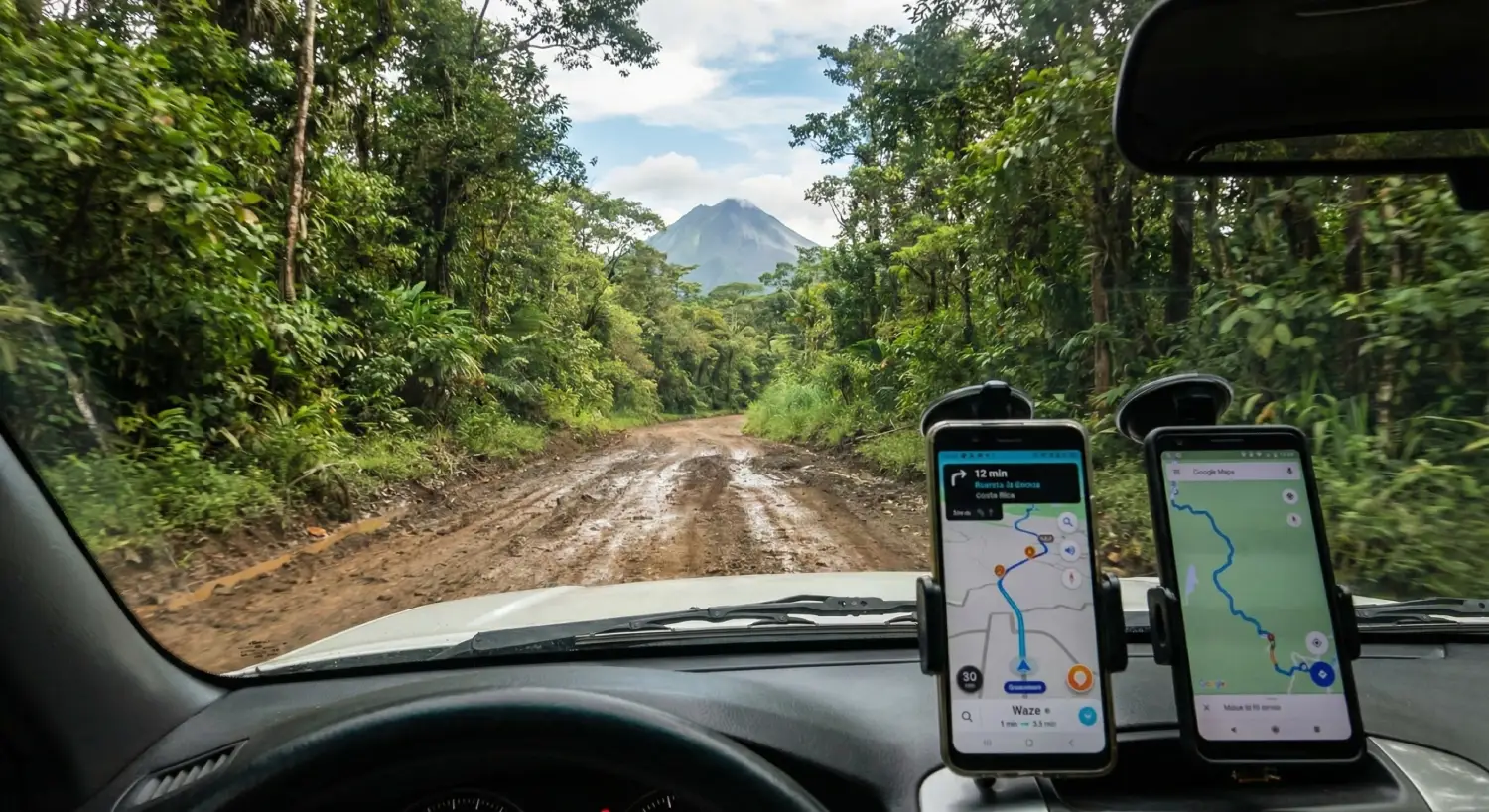
Renting a car in Costa Rica is the ultimate freedom. It allows you to discover hidden waterfalls, secluded beaches, and cloud forests that tour buses simply cannot reach. However, driving here comes with a unique set of challenges: river crossings, potholes the size of small craters, and a total lack of street signs in rural areas.
Kölbi (ICE), Liberty
Instant delivery
From 4.90 USD

Ethan Brooks
Updated Jan 9, 2026
5 min read
Best for most trips
Kölbi (ICE), Liberty

Costa Rica
10 GB · 30 days
Enough for maps, bookings and everyday travel.
Hotspot supported
$24.90
From 4.90 USD
For many travelers, the biggest question at the rental car counter is: "Should I pay $15 a day for a GPS device, or can I use my phone?"
In this guide, we break down the reality of Costa Rican roads, why Waze is king, and how to navigate like a local without getting lost or overpaying.
Before you turn the key, you need to understand what you are driving into. While main highways (like Route 1 and Route 27) are paved and in good condition, secondary roads can be unpredictable.
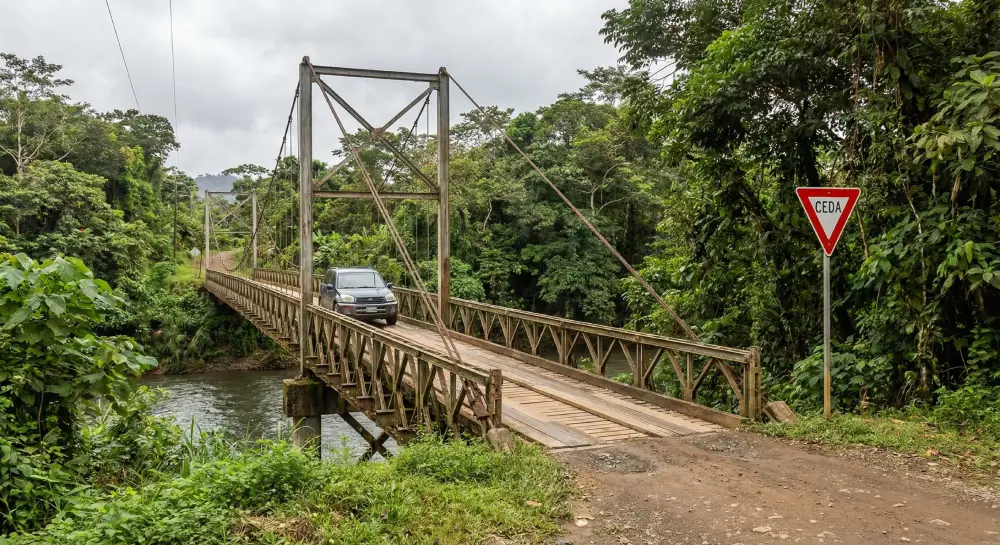
In popular tourist areas like Monteverde, Santa Teresa, or the road to La Fortuna, pavement often disappears. You might encounter:
Lack of Signage: Road signs are rare outside of major cities. You cannot rely on visual cues.
One-Way Bridges: Many bridges in rural areas are single-lane. You must yield (CEDA) to oncoming traffic.
Unexpected Obstacles: It is common to share the road with cows, dogs, and slow-moving trucks.
Because of this unpredictability, having a reliable navigation system is not a luxury; it is a safety requirement.
Which navigation tool should you trust? In Costa Rica, the answer is almost unanimously Waze.
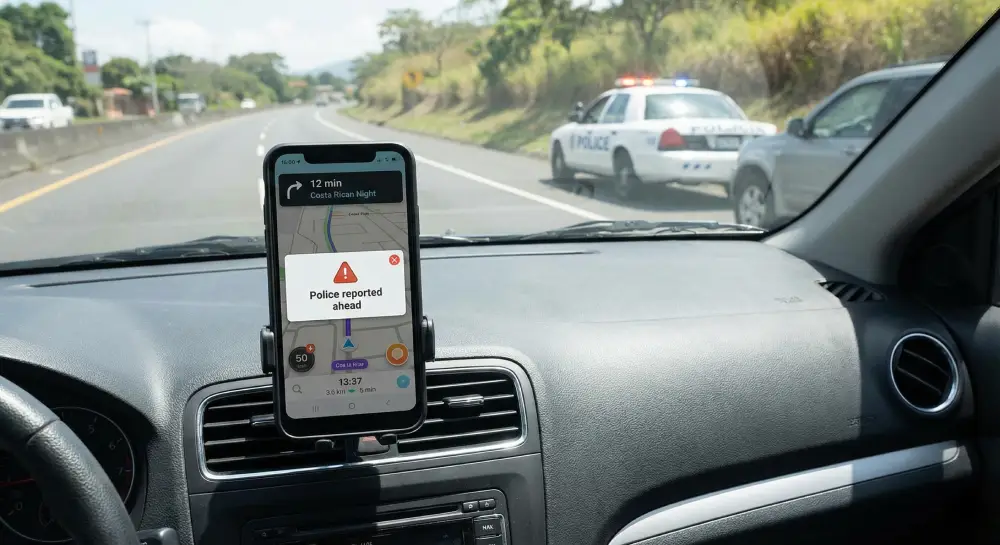
Costa Ricans (Ticos) use Waze religiously. Because it is community-driven, it is the only app that updates fast enough to account for:
Sudden road closures or landslides.
Police speed traps.
Hidden potholes or debris on the road.
Real-time traffic jams in San Jose.
Google Maps is a good backup and allows for offline map downloads, which is useful in dead zones. However, its travel time estimates are often inaccurate because it doesn't account for the slow-moving nature of Costa Rican roads.
Rental car agencies will try to upsell you a dedicated GPS device (often an outdated Garmin unit) for $12–$15 USD per day.
The Problem: These devices are often old, difficult to use, and do not show real-time traffic or hazards.
The Cost: For a 10-day trip, renting a GPS adds $150 USD to your bill.
The Smart Alternative: Instead of renting a GPS, bring your own smartphone and mount. You can get unlimited navigation data for a fraction of the price. Check our comparison guide on the best eSIM for Costa Rica to see exactly how much you save compared to rental GPS fees.
Using Waze requires an active internet connection. If you rely on your home carrier's roaming plan (like AT&T or Verizon), you could be paying $10 per day—almost as much as the GPS rental.
For a stress-free road trip, we recommend setting up your connection before you land. Roafly offers reliable coverage on the Kolbi and Liberty networks, which have the widest reach in rural Costa Rica. With packages starting from 1GB for $4.90, you can cover your entire trip for the price of two days of GPS rental.
If you want to compare local network providers like Kolbi and Liberty, or understand why buying a SIM card at San Jose Airport can be a hassle, read our comprehensive guide on how to get mobile internet in Costa Rica. It covers everything from signal coverage maps to avoiding overpriced tourist packages.
Avoid Night Driving: Streetlights are non-existent in many areas. Potholes and pedestrians are impossible to see at night. Plan to arrive at your destination before 6:00 PM.
Download Offline Maps: While Waze is best, always download the area on Google Maps as a backup for the few spots where signal might drop.
Rent a 4x4: If you are visiting Monteverde or the Nicoya Peninsula (Nosara/Santa Teresa), a high-clearance vehicle is necessary.
Watch Your Speed: Speed limits change rapidly. Police radar traps are common, especially on the Interamericana Highway. Waze will alert you to these.
Plan Your Route Carefully: Distances in Costa Rica are deceptive. 100 kilometers might take 3 hours.
Many travelers renting a car in Costa Rica plan to drive north to explore the rest of Central America. However, be aware that taking a rental car across borders can be legally complex and expensive.
If you are debating whether to extend your trip or which country fits your driving style better, check out our comparison: Costa Rica vs. Guatemala. It breaks down the road conditions and adventure levels of both destinations to help you plan your route.
Here is the math for a typical 10-day road trip in Costa Rica:
| Option | Daily Cost | Total Cost (10 Days) | Pros | Cons |
| Rental Car GPS | $15.00 | $150.00 | No phone battery usage | Outdated maps, hard to use |
| Carrier Roaming | $10.00 | $100.00 | Keep your number | Expensive, slower speeds |
| Roafly eSIM (10GB) | ~$2.49 | $24.90 | Real-time Waze, 4G speeds | Requires unlocked phone |
Best for most trips
Kölbi (ICE), Liberty
Costa Rica
10 GB · 30 days
Enough for maps, bookings and everyday travel.
Hotspot supported
$24.90
From 4.90 USD
Driving in Costa Rica is an adventure you will never forget. The freedom to stop for a coconut water by the roadside or watch a sunset from a cliff is worth the challenge.
Don't let rental agencies scare you into buying expensive add-ons you don't need. Your smartphone, loaded with Waze and a reliable data connection, is the best co-pilot you can have.
Check the latest eSIM packages for Costa Rica
Choose the perfect data plan for your trip

Manage your eSIM in the app
Install, top up and track data.
