Download the App and manage your eSIMs easily
Create your order quickly
See your eSIM details
Track your remaining data
Download the App and manage your eSIMs easily
Create your order quickly
See your eSIM details
Track your remaining data
Pack the right adapter for Türkiye and check your devices before departure. Here’s how plug types, voltage and charging requirements affect what you bring.

Lena Hartley
Updated Oct 13, 2026
8 min read
Save 15% on your Roafly eSIM
Stay connected on your next trip. Use the code below at checkout.
View All DestinationsJump to section
👇Save 15% on your Roafly eSIM
Stay connected on your next trip. Use the code below at checkout.
View All Destinations
Manage your eSIM in the app
Install, top up and track data.
Türkiye uses 230V electricity at 50Hz, with Type C and Type F plugs. If you are arriving from the UK, USA, Canada, Australia or New Zealand, bring a suitable plug adapter. Whether you also need voltage conversion depends on the appliance or charger you intend to use.
Start with the small INPUT label on your charger. If it reads 100–240V, 50/60Hz, it supports Türkiye’s supply, so voltage conversion is unnecessary. You still need a compatible plug and an adapter that meets the device’s power and grounding requirements.
Türkiye’s familiar round-pin connection belongs to the same family used in several European countries. Type F, also called Schuko, has grounding contacts; the smaller Type C Europlug has two round pins without an earth connection.
| Electrical detail | What to expect |
|---|---|
| Associated plug types | Type C and Type F |
| Nominal supply voltage | 230V |
| Frequency | 50Hz |
| Type C plug | Two round pins; ungrounded |
| Type F plug | Two round pins with grounding contacts |
| Travel adapter function | Changes the plug connection, not the voltage or frequency |
These are the country specifications listed in Electrical Safety First’s Türkiye adapter guidance.
Your adapter choice stays the same when travelling between Istanbul, Antalya, Cappadocia and other destinations within Türkiye. Individual accommodation facilities may offer additional outlets, but pack for the national standard.
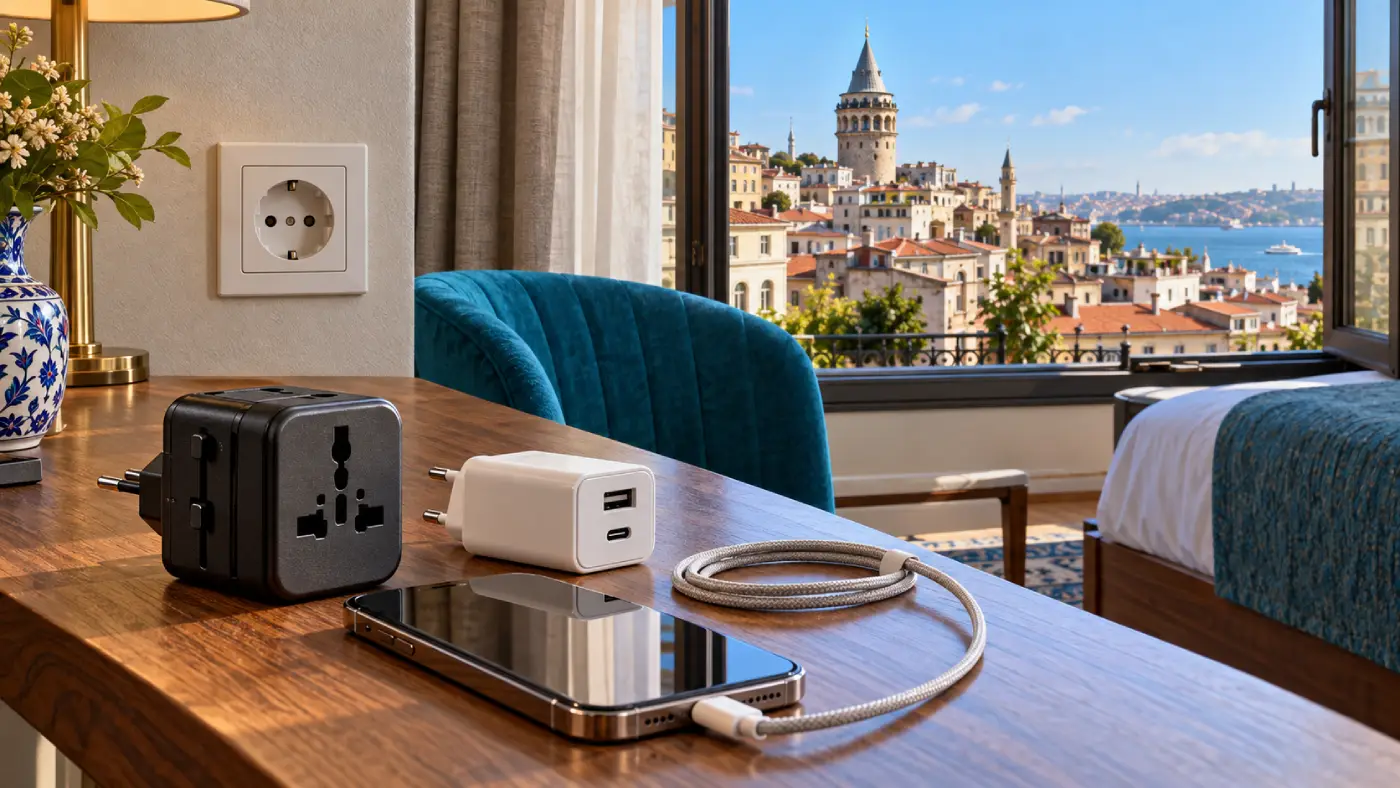
Choose an adapter that accepts your device’s plug and connects correctly to a Turkish Type F socket. Check both ends: a product described as a “European adapter” might be designed for a different plug system or for travel in the opposite direction.
| Your device’s plug | What you need for Türkiye |
|---|---|
| USA or Canada: Type A or B | An adapter accepting your flat-pin plug and connecting to a Type F socket. Preserve grounding for Type B equipment that requires it. |
| UK or Ireland: Type G | A UK-to-Type-F-compatible adapter. Its rating must suit the appliance. |
| Australia or New Zealand: Type I | A Type-I-to-Type-F-compatible adapter matching your two- or three-pin plug. |
| Type C Europlug | No plug adapter is normally needed for a Type F socket. |
| Type F or modern E/F hybrid | No plug adapter is normally needed for a Type F socket. |
| Swiss Type J or Italian Type L | An appropriate adapter, unless the particular device already has a compatible Type C or F plug. |
The table addresses plug fit. Electrical compatibility still depends on the device’s input specifications.
“European” does not mean every plug is interchangeable. Look at the plug actually attached to your charger, especially when bringing equipment from Switzerland or Italy.
If an appliance requires an earth connection, use an adapter that maintains it. An ungrounded two-pin adapter cannot provide that protection simply because the appliance’s plug fits into its front.
Double-insulated equipment is identified by a square inside another square. It does not require an earth connection, but the adapter must still be suitable for its electrical load.
Check the adapter’s maximum current or power rating. Its USB charging output and its AC socket rating are separate specifications: a “65W USB-C” label does not tell you whether its mains outlet is appropriate for a hair dryer.
Read the INPUT marking on the power supply or appliance before deciding. The phone’s battery specifications and the charger’s USB output voltage do not answer this question.
| Example input label | What it means for Türkiye |
|---|---|
| 100–240V, 50/60Hz | Supports Türkiye’s voltage and frequency. Use a suitable plug adapter if needed. |
| 220–240V, 50Hz or 50/60Hz | Includes Türkiye’s supply. Plug fit, grounding and power rating still matter. |
| 110–120V only | Do not connect directly to Türkiye’s supply, including through a passive plug adapter. |
| 60Hz only, unclear or unreadable specifications | Ask the manufacturer about operation on 230V/50Hz before use. |
Some appliances have a manual voltage selector. If yours does, follow its instructions and set it for the destination while unplugged. Do not assume every travel appliance switches automatically.
Voltage converters and transformers also have equipment and power limits. They generally do not change the supply frequency. For an incompatible high-power appliance, using a suitable appliance at your accommodation is usually more practical than carrying conversion equipment.
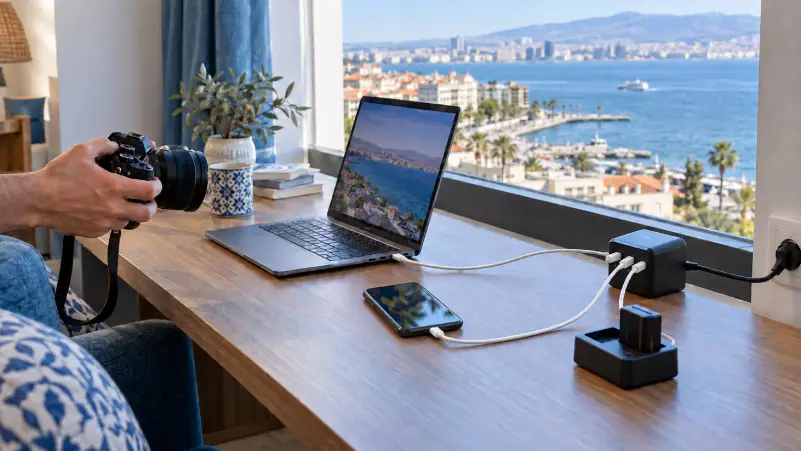
Check each power supply separately. Your phone charger may accept a wide input range while an older camera charger or another accessory has different requirements.
Apple USB power adapters support 100–240V at 50–60Hz, which includes Türkiye’s supply. Other brands and replacement chargers should be assessed from their own labels.
For a compact charging setup, consider a compatible multiport charger with enough output for the devices you use together. A laptop may need substantially more charging power than a phone, and some chargers divide their available output between connected ports. Check the charger’s specifications alongside your laptop’s requirements.
Keep the necessary cables with the charger, rather than relying on a hotel’s USB ports. Before leaving home, prepare your travel apps for Türkiye, download useful maps and save accommodation details so your charged phone is ready for arrival.
If you are packing extra electronics or a phone as a gift, review the customs rules for bringing electronics into Türkiye. That guide covers the separate questions of personal belongings, gifts and arrival procedures.
Hair dryers, straighteners and curling tools deserve their own check. Do not assume they share your phone charger’s input range.
A 120V-only hair dryer must not be plugged into a Turkish wall socket through an ordinary travel adapter. The adapter changes the connection while leaving the supply voltage unchanged.
If your appliance supports 220–240V and the required frequency, follow its instructions and use an appropriately rated adapter. Dual-voltage models may have a selector switch or other operating requirements.
Before packing a bulky appliance, ask whether your accommodation provides one. If you need your own styling tool, confirm the exact model’s international-use instructions. Products sold under the same brand name can have different voltage specifications.
Bring your own wall charger and adapter even if your accommodation advertises USB charging. Port type, location and available charging power can vary, especially when you need to charge a laptop as well as a phone.
On arrival, choose an accessible, undamaged socket. Avoid loose connections, cracked fittings or outlets showing signs of overheating. If something looks damaged, ask the property staff for another charging point.
An available socket also does not tell you what internet access will be available while you wait. Review the internet options in Türkiye when deciding how much you want to rely on accommodation Wi-Fi, roaming or mobile data.
At the airport, keep your charging equipment in your cabin bag and allow yourself enough battery for boarding passes, messages and onward transport. For a longer connection, the Istanbul Airport layover guide covers the wider decision of where to wait, rest or spend your transfer time.
Ask your accommodation whether it can lend you a suitable adapter. If you need to buy one, take the charger or a clear photograph of its plug and input label to a reputable electronics retailer.
Explain that you need to connect your existing plug to a Turkish wall socket. Confirm whether the item is a plug adapter or a replacement charger, and check its stated ratings before buying.
If you only need to charge a phone, a compatible local wall charger may be another option. It must support your device and cable; matching the connector alone does not establish charging performance.
For help with cards, cash and local-currency payments when buying a replacement, see the guide to paying for purchases in Türkiye.
Read each input label. Confirm that every charger or appliance supports 230V and 50Hz.
Match the plugs. Pack an adapter suitable for your actual plug and Turkish sockets.
Preserve grounding. Use an earthed adapter where the equipment requires it.
Check the power rating. Pay particular attention to hair tools and other high-power appliances.
Pack the cables you need. Keep essential charging equipment accessible during the journey.
Prepare your mobile connection. Compare eSIM plans for Türkiye alongside your phone’s compatibility and expected data use.
If you are using Roafly, install your Türkiye eSIM on a compatible, unlocked phone before departure, while you have an internet connection available for setup.
No. Type C here means the two-round-pin mains plug used with wall sockets. USB-C is the smaller connector used for charging and data cables.
Only if it supports the Turkish socket connection, accepts your device’s plug and meets its grounding and power requirements. “Universal” does not mean that it converts voltage or suits every appliance.
Usually not. Choose the connection that suits your equipment. Compatible Type C plugs fit Type F sockets, while equipment requiring an earth connection needs a properly grounded solution.
