Download the App and manage your eSIMs easily
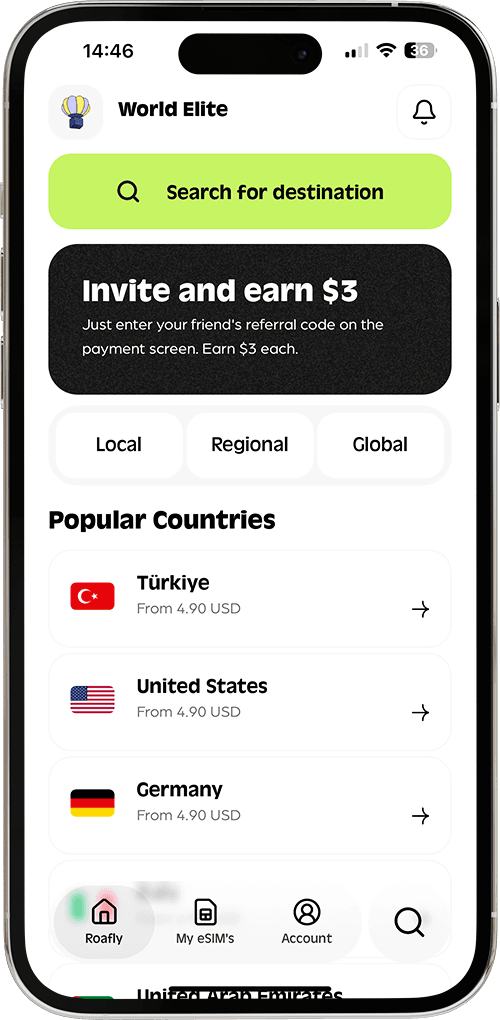
Create your order quickly
See your eSIM details
Track your remaining data
Download the App and manage your eSIMs easily
Create your order quickly
See your eSIM details
Track your remaining data
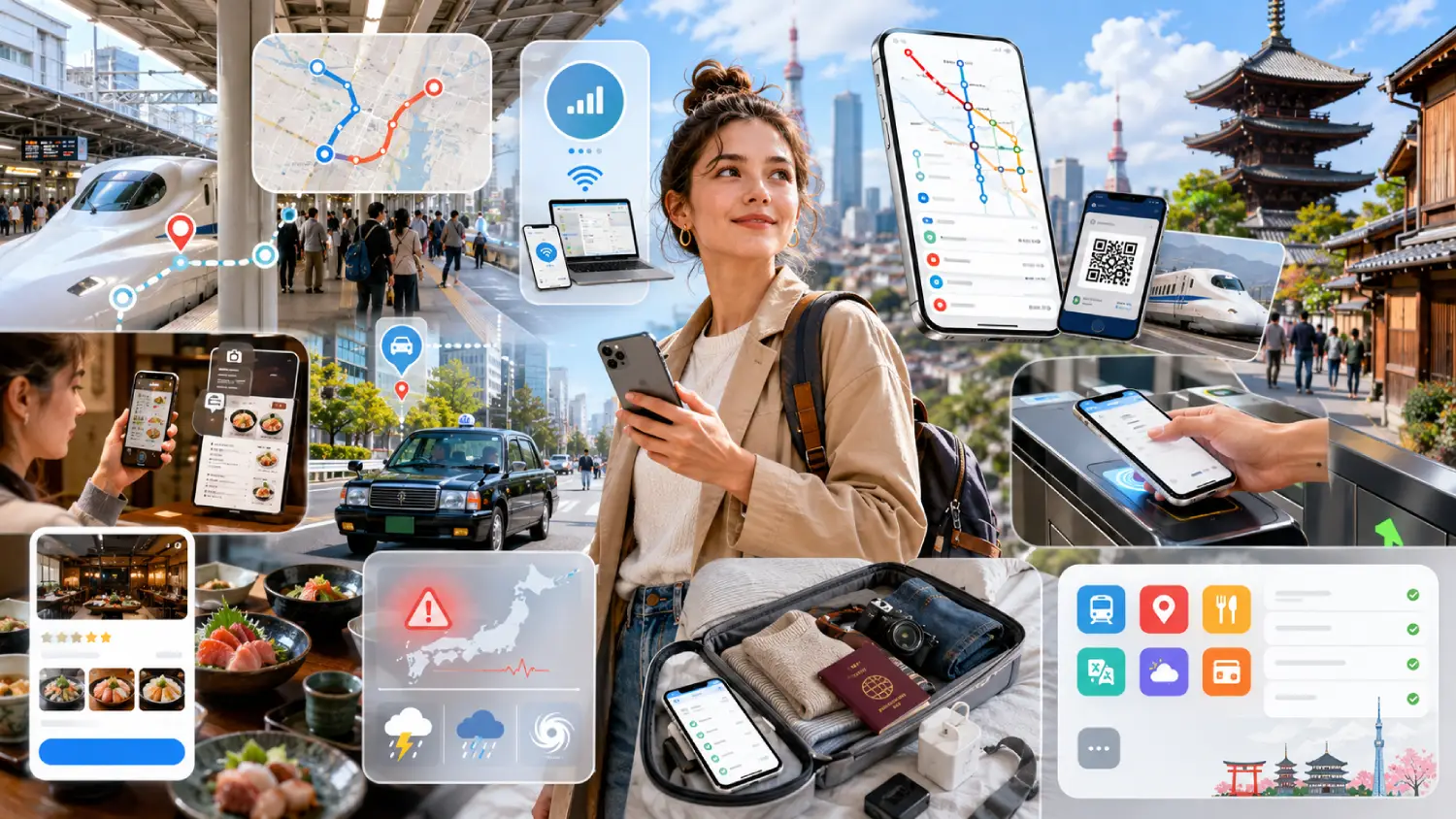
The most useful Japan travel apps are Google Maps for everyday navigation, Roafly for mobile data, Japan Travel by NAVITIME for detailed rail planning, Google Translate for language help and Safety tips for official emergency alerts.
NTT docomo
Instant delivery
3.90 USD From 3.51 USD

Lena Hartley
Updated Aug 5, 2026
11 min read
Jump to section
👇Best for most trips
NTT docomo

Japan
10 GB · 30 days
Enough for maps, bookings and everyday travel.
Hotspot supported
$14.90
$13.41
JAPAN10 automatically applied
$3.90From 3.51 USD
10% reader discount
The rest depend on your device and itinerary. Welcome Suica Mobile is valuable for compatible iPhone and Apple Watch users, while SmartEX is mainly useful for travelers booking the Tokaido, Sanyo or Kyushu Shinkansen. GO helps when you need a taxi, and Tabelog Food Guide in Japan provides more Japan-specific restaurant information than a general map app.
You do not need to install every app in this guide. Choose the ones that match your phone, train routes and travel style, and check the practical restrictions before relying on them.
| App | Best for | Tourist setup | Main catch |
|---|---|---|---|
| Google Maps | Streets, stations and public transport | Easy; no Japan-specific account required | Offline maps do not include offline public transport directions |
| Roafly | Mobile data after landing | Install and arrange data before departure | Data-only; no phone number, calls or SMS |
| Japan Travel by NAVITIME | Detailed rail and pass-aware routes | Tourist-focused iOS and Android app | Some advanced features require payment |
| Welcome Suica Mobile | IC transport and contactless payments | Designed for visitors using compatible Apple devices | No Android version; balance expires after 180 days |
| SmartEX | Selected Shinkansen reservations | Requires an account and compatible payment card | App availability is restricted by app-store region |
| GO | Calling taxis without explaining the address | Foreign numbers and international cards supported | Location, mobile data and extra service charges may apply |
| Google Translate | Menus, signs and short conversations | Download Japanese before departure | Critical translations should not rely on it alone |
| Tabelog Food Guide in Japan | Japan-specific restaurant research | Browsing is easy; reservations require payment details | Reservation system fee and restaurant bill are separate |
| Safety tips | Earthquake, tsunami and weather alerts | No account or payment required | Live warnings depend on connectivity and current location settings |
Google Maps is the most broadly useful app for a first visit to Japan. It combines walking directions, local trains, metro services, buses, station entrances and nearby businesses in one familiar interface.
Its greatest value is often inside large transport hubs. Searching for the exact station exit can save more time than simply navigating to the station name. In Tokyo, Osaka and other major cities, emerging from the wrong side of a large station can add a long and confusing walk.
Google Maps can also display platform information, departure times and transfer instructions where the data is available. Still, it should not be treated as infallible. Allow extra time for complicated transfers and compare unusual rail journeys with a Japan-specific planner.
Download offline maps for the regions you will visit before departure. They can help with basic map access and driving directions, but offline mode does not provide public transport, walking or cycling routes. Live departures, delays and alternative routes also require an internet connection.
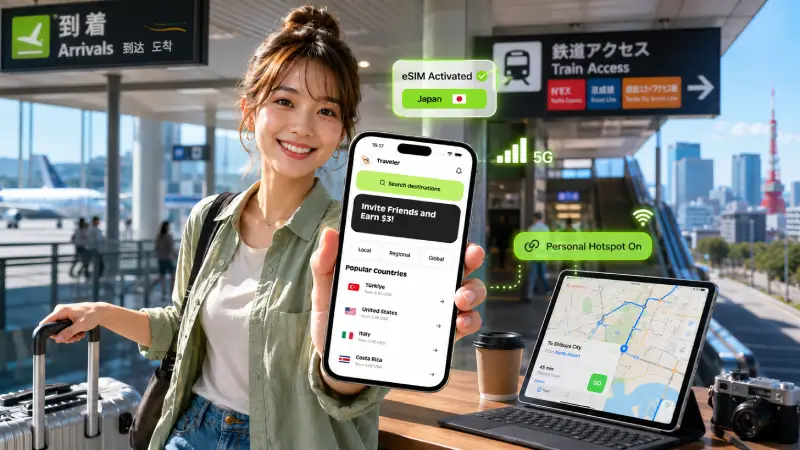
Mobile data connects almost every other app in this guide. Maps need live transport information, GO needs GPS and internet access, Tabelog needs a connection for searches and reservations, and emergency alerts are more useful when your phone remains online.
Roafly offers iOS and Android apps with fixed-data, data-only plans. You can install your Japan eSIM before departure so that essential travel services are available when you land rather than depending entirely on airport Wi-Fi.
The full purchased data allowance can be used for hotspot connections, which can be useful when sharing data with a laptop, tablet or travel companion. Top-ups are also supported if you use more data than expected.
Because the service is data-only, do not expect a Japanese telephone number, standard voice calls or SMS. Keep access to your usual number if you may need bank verification messages or account recovery codes while traveling.
For more connectivity planning, see Best eSIM for Japan and How to Get Mobile Internet in Japan.
Exclusive Reader Bonus!
Enjoy an extra %10 OFF your first Roafly eSIM purchase as a thank you for reading.
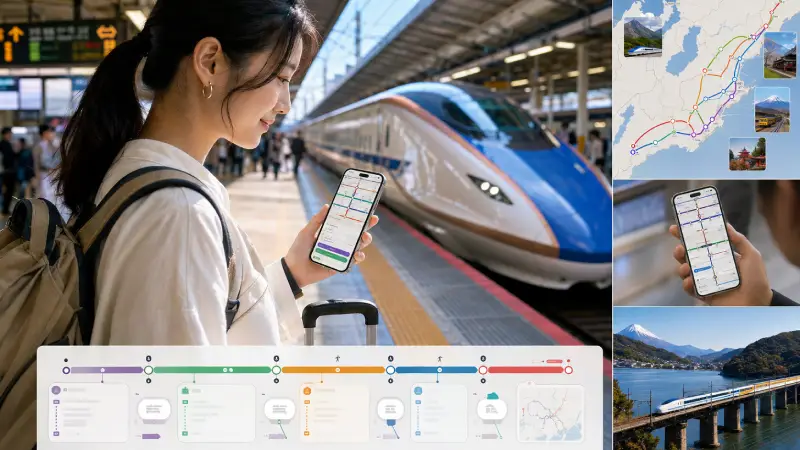
Japan Travel by NAVITIME is a strong companion for travelers making complicated rail journeys, using regional passes or moving beyond the most obvious city routes.
The app is designed for international visitors and supports English along with several other languages. It can show train times, platform numbers, transfer details and routes filtered around selected rail passes. This is particularly helpful when the fastest route is not necessarily covered by your pass.
You can view up to 50 recent routes offline and search for certain useful facilities, including stations, ATMs and currency-exchange locations. This does not make the entire route-planning system available without data. New searches and live information may still require a connection.
The basic app is free, but some functions, including certain delay-related alternatives and voice navigation features, may require a paid plan. Check which tools are included before subscribing.
For a wider explanation of trains, IC cards and local transport, read Japan Transport Guide: Trains, Uber Prices & Suica Tips.
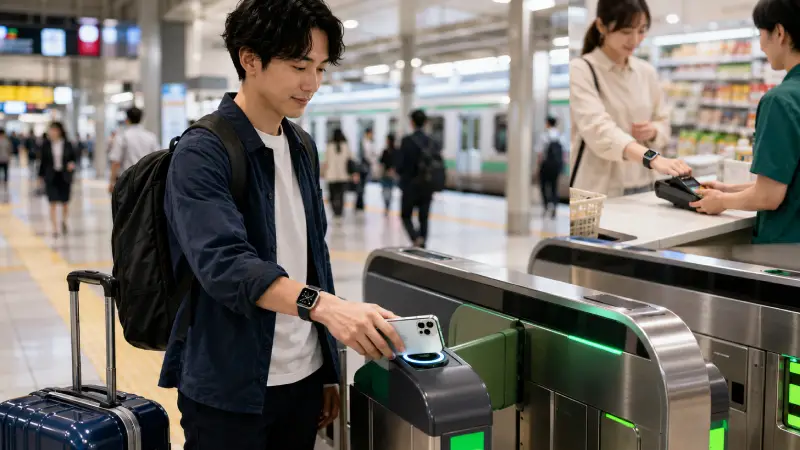
Welcome Suica Mobile allows eligible visitors to create a digital IC card for trains, buses and contactless payments at participating shops and vending machines.
IC cards reduce the need to calculate individual fares or buy a ticket for every short journey. You tap your device at the gate when entering and leaving the transport system, and the correct fare is deducted automatically.
The major limitation is device compatibility. Welcome Suica Mobile is available for supported iPhones and Apple Watches, not Android phones. Users must be at least 13 and have an eligible payment card in Apple Pay.
App download and top-up may be restricted in some countries. Check availability before departure and keep another payment method as a backup.
Welcome Suica Mobile card remains valid for 180 days from its initial issue. Any remaining balance expires and is not refunded. Load realistic amounts rather than adding more money than you are likely to spend.
Android users should not plan their transport around this app. Use a currently available physical IC card or individual tickets after arrival instead.
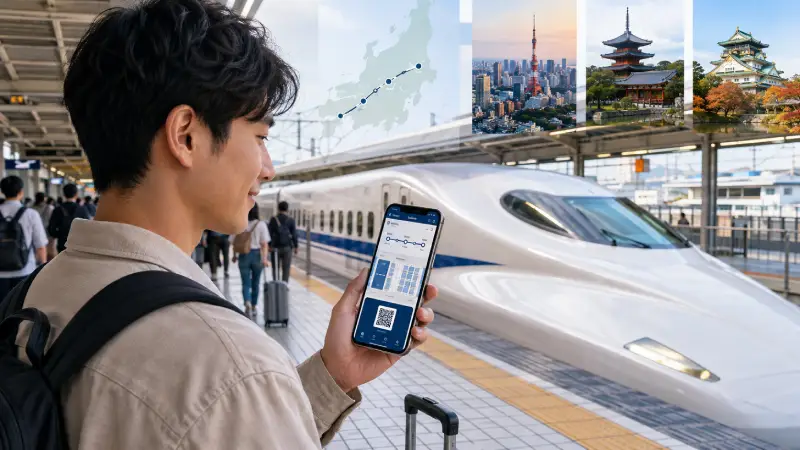
SmartEX is useful for booking the Tokaido, Sanyo and Kyushu Shinkansen routes. These lines cover the popular Tokyo–Nagoya–Kyoto–Osaka–Hiroshima–Hakata corridor.
The service allows eligible travelers to reserve seats, review train options and make changes without visiting a ticket counter. A Japanese IC card is optional, and travelers can use the available ticket or QR collection method for their booking.
SmartEX is not a booking app for every bullet train in Japan, and it cannot be combined with the Japan Rail Pass. Travelers using other Shinkansen lines or regional passes may need a different booking service.
App-store availability is a significant restriction. The official app is distributed only through selected national app stores, including Japan, the United States, Canada, Australia, Singapore, Hong Kong, Malaysia and Thailand. Taiwan uses a separate ExpressRide app. Travelers whose app-store region is unsupported may need to use the official browser service.
Registration requires an eligible card using 3-D Secure. Approval depends on the card issuer, so create and test your account before the day of travel rather than assuming every foreign card will work.

GO is practical when you have luggage, miss the last train, travel with children or need to reach somewhere inconvenient by public transport.
It accepts foreign phone numbers and supports international credit cards and Apple Pay. Registration requires an SMS-capable number, but some users may be unable to complete the process from outside Japan. If advance registration fails, try again after arrival with location access enabled.
The app can display pickup details, vehicle information and the destination without requiring you to explain an address in Japanese. Although GO operates across all 47 prefectures, vehicle availability still varies by exact location, time and local taxi supply.
An internet connection and GPS permission are required. Some screens may also remain in Japanese even when English is selected.
Short-term visitors using foreign numbers may be charged an International Service Charge. Other taxi, pickup, app or demand-related charges may also apply, so review the displayed estimate before confirming a ride.
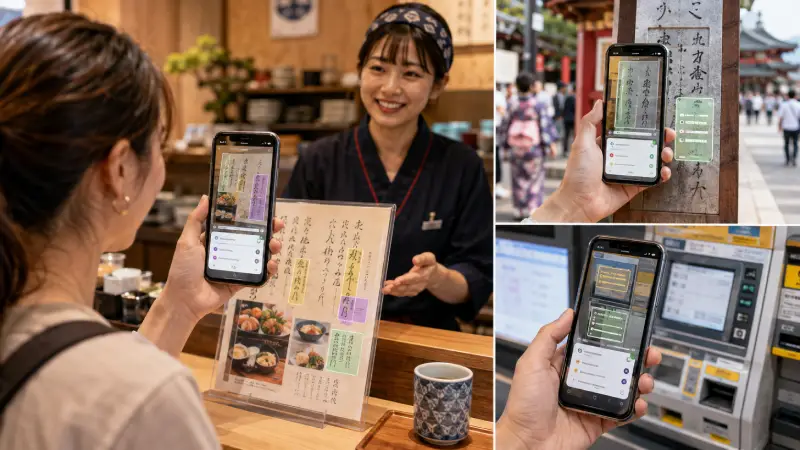
Google Translate is the most practical general-purpose language app for many visitors. Camera translation can help with menus, signs, appliance controls and ticket machines, while text and conversation modes can support short interactions.
Download Japanese and your preferred language before flying. Offline language files provide a useful backup when reception is poor, although connected features generally offer broader functionality.
Camera translation is convenient, but it can misread stylized fonts, vertical writing, handwritten notices and context-dependent Japanese. Do not rely on machine translation alone for allergy declarations, medical instructions, legal documents or emergency information.
For important dietary needs, carry a clearly written Japanese allergy card and ask staff to confirm ingredients directly.

Tabelog Food Guide in Japan is one of the strongest Japan-specific additions to this list. It offers detailed restaurant listings, customer photographs, category filters and local review information that may not appear in the same depth on general map platforms.
The tourist-facing app is available on iOS and Android. Its multilingual interface can help visitors search for restaurants and, where supported, make reservations.
Multilingual listing does not guarantee that a restaurant has an English menu or English-speaking staff. Check recent photographs, menu details and reservation conditions before traveling across a city for a particular meal.
Tabelog charges a reservation system fee of JPY 440 per person. This fee is separate from the restaurant bill, which is normally paid at the restaurant. The system fee is generally not returned when the customer cancels, and individual restaurants may impose additional cancellation or no-show charges.
Not every restaurant accepts online bookings. Keep another option nearby, especially for small restaurants and popular dining times.
Safety tips is a free multilingual application supervised by the Japan Tourism Agency for international visitors and foreign residents.
It can send information about earthquake early warnings, tsunamis, volcanic activity and serious weather conditions. The app also contains evacuation guidance, communication cards and other emergency information.
No account, Japanese telephone number or payment method is required. You can register up to five locations in Japan, which is useful for monitoring the cities and regions on your itinerary.
Enable notifications and location permissions before you need them. Location settings must be updated within the app at least once a month; otherwise, alerts may stop.
Safety tips should supplement, not replace, local announcements and instructions from authorities. Live notifications depend on internet access, device settings and external systems, so delays or missed alerts remain possible.
For broader preparation, see Is Japan Safe for Tourists? Earthquakes & Scams.
Complete the most important setup while you still have reliable internet access:
Download offline maps for the regions you will visit.
Install Japanese language files in Google Translate.
Install and prepare mobile data before departure.
Check whether Welcome Suica Mobile supports your Apple device and payment card.
Confirm whether SmartEX is offered in your app-store region.
Test GO registration, while allowing for final setup in Japan.
Add your destinations to Safety tips and enable notifications.
Keep a physical payment card and some cash as backups.
Use Visit Japan Web for immigration and customs procedures when relevant, but remember that it is an official web service rather than an app. Avoid unofficial applications that imitate its name or request unexpected payment-card information.
Entry and preparation details are covered in Japan Entry Requirements: Visas, eVisa & Stay Limits.
For most visitors, the strongest starting set is Google Maps, Roafly, Google Translate and Safety tips.
Add Japan Travel by NAVITIME if your itinerary includes frequent trains, several cities or a rail pass. Add Welcome Suica Mobile only when you have a compatible iPhone or Apple Watch. Install or use SmartEX when your itinerary includes the supported Shinkansen corridor and your app-store region and payment card are compatible.
GO is worth keeping for occasional taxis, while Tabelog Food Guide in Japan is especially useful for travelers who consider food research an important part of the trip.
The right list is not the longest one. It is the smallest combination that matches your phone, route and travel habits.
This guide is published by Roafly. App availability, registration rules and features were checked on August 5, 2026.
Best for most trips
NTT docomo
Japan
10 GB · 30 days
Enough for maps, bookings and everyday travel.
Hotspot supported
$14.90
$13.41
JAPAN10 automatically applied
$3.90From 3.51 USD
10% reader discount

Manage your eSIM in the app
Install, top up and track data.
Choose the perfect data plan for your trip
