


'%3e%3cg id='b'%3e%3cpath id='a' d='M0 0v1h.5z' transform='rotate(18 3.157 -.5)'/%3e%3cuse xlink:href='%23a' transform='scale(-1 1)'/%3e%3c/g%3e%3cuse xlink:href='%23b' transform='rotate(72)'/%3e%3cuse xlink:href='%23b' transform='rotate(-72)'/%3e%3cuse xlink:href='%23b' transform='rotate(144)'/%3e%3cuse xlink:href='%23b' transform='rotate(-144)'/%3e%3c/g%3e%3cuse xlink:href='%23c' transform='translate(10 -3.2)'/%3e%3cuse xlink:href='%23c' transform='translate(10 2.8)'/%3e%3cuse xlink:href='%23c' transform='translate(-10 -3.2)'/%3e%3cuse xlink:href='%23c' transform='translate(-10 2.8)'/%3e%3c/svg%3e)
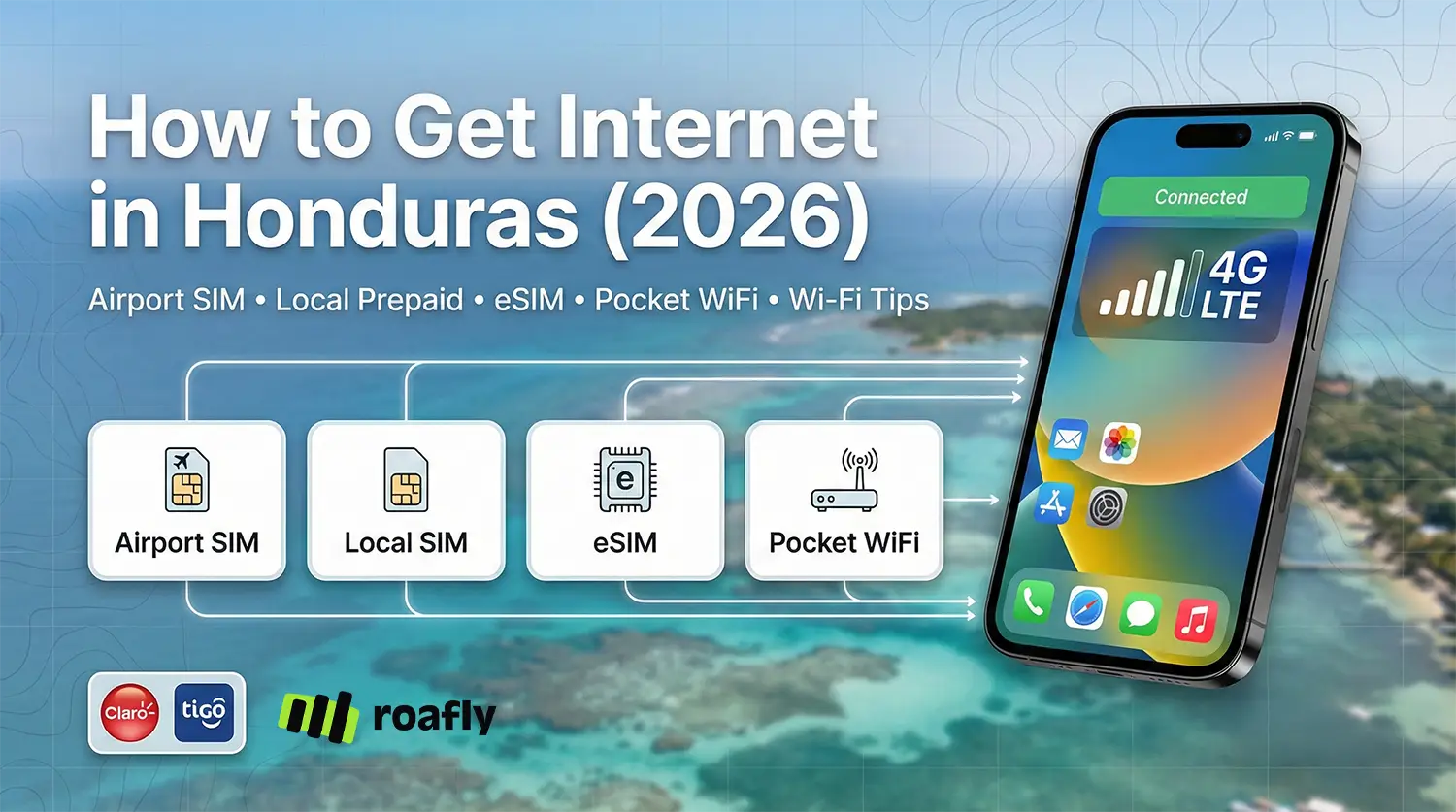
This guide covers airport SIM reality, local prepaid pricing, a Roafly eSIM option you can install before you fly, and when pocket WiFi or public Wi-Fi makes sense.
What to expect from mobile internet in Honduras in 2026
Honduras’ mobile market is dominated by two nationwide operators, and investment is largely focused on expanding and improving 4G service, with 5G development still emerging.
Coverage is usually strong in larger urban areas (Tegucigalpa, San Pedro Sula, La Ceiba) and popular tourist zones, but you should expect patchier service on rural roads, mountainous regions, and some remote beach areas. If your itinerary includes Roatán/Utila plus inland travel, plan for occasional slowdowns and brief dead zones.
A practical rule: if you need internet the moment you land (ride-hailing, maps, banking OTPs, contacting accommodation), set up your connectivity before departure.
Need data in Honduras? Get an eSIM!
Choose the perfect data plan for your trip

Manage your eSIM in the app
Install, top up and track data.
The smartest choice at a glance (comparison table)
| Option | Typical 2026 cost (USD) | Setup speed | Best for | Watch-outs |
|---|---|---|---|---|
| Airport physical SIM (limited availability) | SIM around $5.68 (L150) + top-up | Medium | If you find quickly | Airport kiosks are not consistently available; service/English support may be limited |
| Local prepaid SIM in town (Claro/Tigo) | SIM often $2–$6 (L50–L150) + package | Medium | Longer stays, local number | Registration may require passport; plan names/pricing change |
| Roafly Honduras eSIM | From $4.90 | Fast | Arrive connected, no SIM swap | Data-only (no local voice number) |
| Pocket WiFi rental | From ~$6.90/day (some providers) | Medium | Groups / multiple devices | Extra device to carry/charge; delivery/pickup logistics |
| Airport + public Wi-Fi | Free | Fast (when available) | Light browsing, backups | Security risks on open networks; speeds vary |
Currency note (for local prices): USD conversions below use a mid-market rate around $1 ≈ L26.42 (Feb 3, 2026).
Option 1: Buying a SIM card at the airport
Many travelers assume they’ll land and buy a SIM at a carrier booth like in bigger hubs. In Honduras, that’s not always how it works.
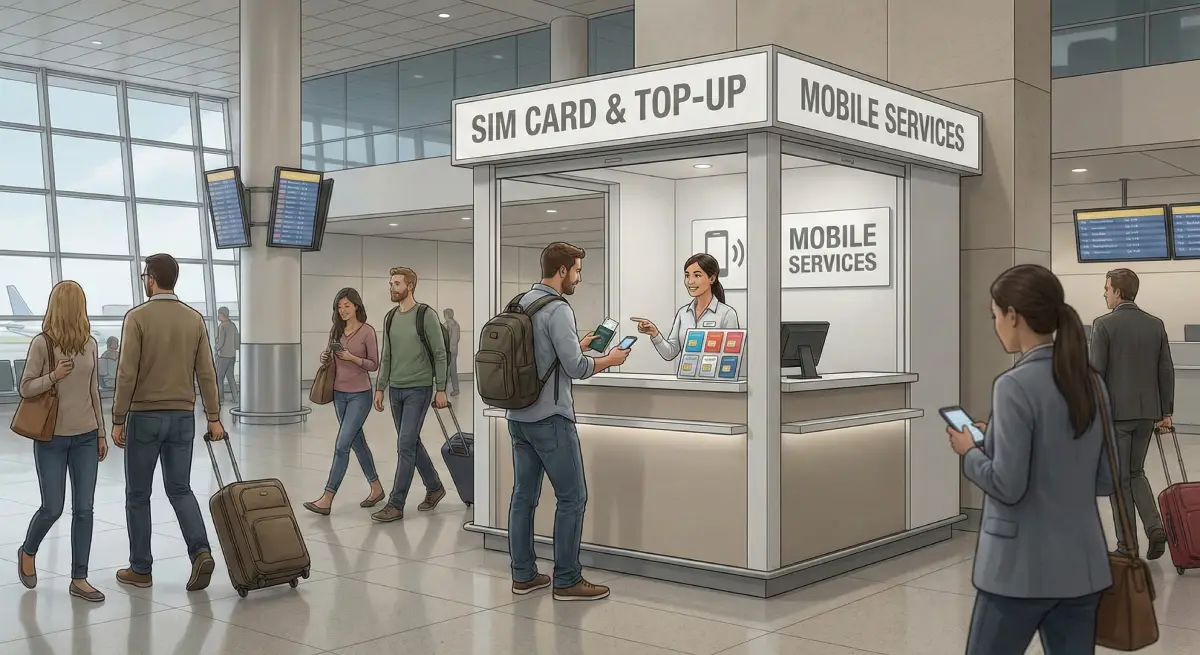
San Pedro Sula Airport (SAP): don’t count on a SIM kiosk
Recent airport guidance notes Wi-Fi availability but does not clearly confirm an on-site SIM kiosk, and independent reporting has observed inconsistent or absent SIM resellers at the terminal.
What to do instead: use airport Wi-Fi to message your driver/hotel, then buy a SIM in town or go eSIM.
Tegucigalpa area: limited “on arrival” SIM convenience
Travel reporting has noted that at Tegucigalpa’s airport area, you may find a convenience-store SIM option rather than a proper carrier shop. example cited a Claro SIM for L150 (≈ $5.68), with top-up required separately.
Palmerola (XPL): plan for Wi-Fi first, SIM second
Palmerola is the primary international airport for many routes now, and free Wi-Fi is commonly referenced by the airport itself.
However, SIM kiosk availability can vary by season and terminal changes. If you see a telecom counter, great—just don’t make it your plan.
Airport SIM checklist (if you try it anyway)
-
Have your passport ready (SIM registration can be required).
-
Ask about validity and included data before paying.
-
Test data on the spot (open a map + send a WhatsApp message).
-
Keep the packaging (ICCID/PUK info helps if something breaks).
If you want zero friction, skip airport SIM hunting and set up your plan before you fly.
Option 2: Local prepaid tourist SIMs (buy in town, pay less)
If you’re staying more than a week or you want a local number, buying a prepaid SIM in town is often the most cost-effective route.
Where to buy a local SIM in Honduras
-
Official carrier stores in malls or city centers (best support and activation help)
-
Authorized resellers in convenience stores and some supermarkets (faster, but less help)
A common tip from travel reporting: official stores will usually activate the SIM for you, while smaller resellers may simply sell the SIM and leave you to configure it.
How much does a local SIM cost?
A typical ballpark for a Honduras SIM is L50–L150 (≈ $2–$6) depending on where you buy and whether it’s bundled with a small promo top-up.
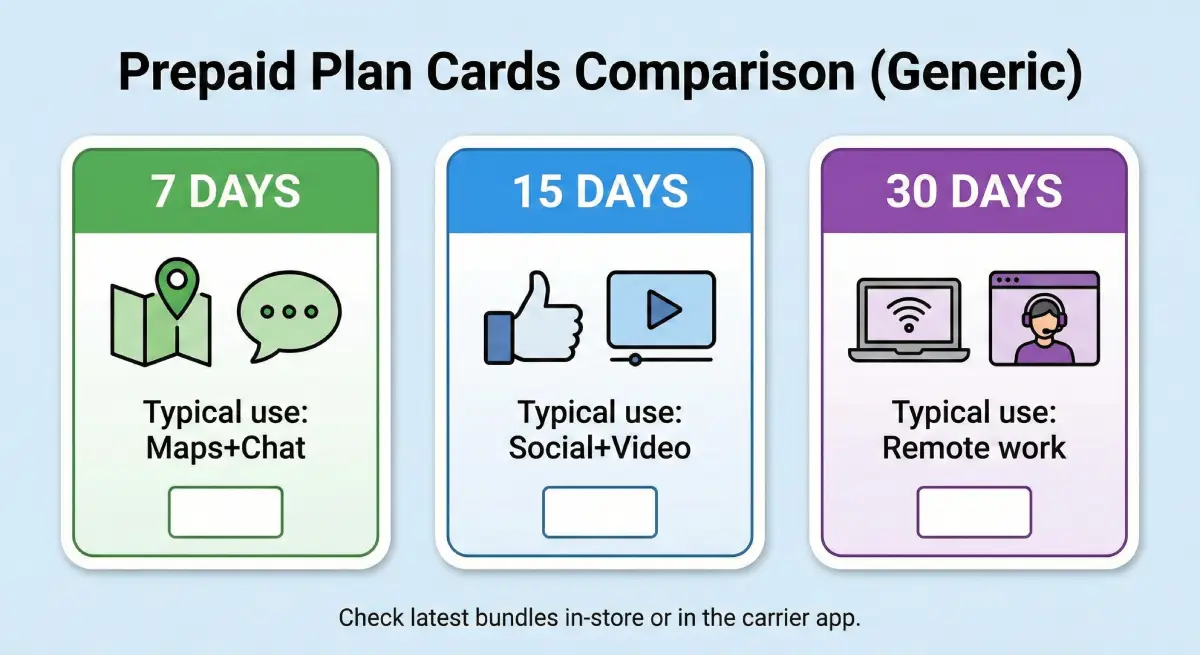
Example prepaid data pricing (2026 snapshots)
Below are real, published examples to help you estimate your budget.
Tigo prepaid examples (published):
-
7 days “GB Ilimitados”: L160 (≈ $6.06) (hotspot may be restricted on some “unlimited” promos)
-
15 days 23GB + 2GB: L235 (≈ $8.89)
-
Smaller mobile internet packs are also documented (e.g., 2GB for 7 days: L200 ≈ $7.57, 5.5GB for 30 days: L600 ≈ $22.71).
Claro prepaid examples (published snippets):
Claro’s site lists multiple prepaid “Superpack” options; example shown publicly is L125 for 7 days including 2GB (≈ $4.73).
Local SIM setup steps (quick and realistic)
-
Buy the SIM and register it (bring passport; stores often ask).
-
Insert SIM, restart phone.
-
Enable mobile data + data roaming (if required by the carrier profile).
-
Top up and activate a data bundle via the carrier app/USSD code (staff can usually help).
-
Test hotspot if you need it (some bundles limit tethering).
When local SIM is the best fit: long stays, heavy data users, travelers who want a local number for calls, deliveries, or local services.
Option 3: Roafly Honduras eSIM (arrive connected with no SIM swap)
If you want internet working immediately after landing—without finding a shop, speaking Spanish, or handling SIM registration—an eSIM is usually the smoothest solution.
Roafly offers Honduras eSIM plans that connect via the Claro network, with hotspot available and no eKYC required. Validity starts when the eSIM first connects to a supported network in Honduras, which is ideal if you install ahead of time and activate upon arrival.
Need data in Honduras? Get an eSIM!
Choose the perfect data plan for your trip
Manage your eSIM in the app
Install, top up and track data.
Roafly Honduras eSIM plans (USD)
-
1GB / 7 days — $4.90
-
3GB / 15 days — $9.90
-
5GB / 30 days — $12.50
-
10GB / 30 days — $21.00
-
20GB / 30 days — $38.00
Plan type: data-only (use WhatsApp/FaceTime/Telegram for calls).
Installation methods (choose what fits your device)
Roafly supports three standard setup paths:
-
iOS Direct Install (fastest when available)
-
QR Code (works on most phones)
-
Manual setup (backup option if QR scanning fails)
If you’re new to eSIMs or want deeper decision help, link this section to the Best eSIM for Honduras guide.
Best practices for eSIM users in Honduras
-
Install before departure while you still have stable Wi-Fi.
-
Keep your primary SIM active for OTP texts (banking, email logins).
-
Turn on the eSIM line when you arrive, so you don’t start validity early.
-
If anything acts weird after landing, the fixes in “Fix eSIM No Service After Landing” and “I Installed My eSIM But I Have No Internet” usually solve 90% of setup issues.
When Roafly eSIM is the best fit: short-to-medium trips, multi-stop itineraries, anyone who wants “land and go” internet.
Option 4: Pocket WiFi in Honduras (good for groups, not always cheaper)
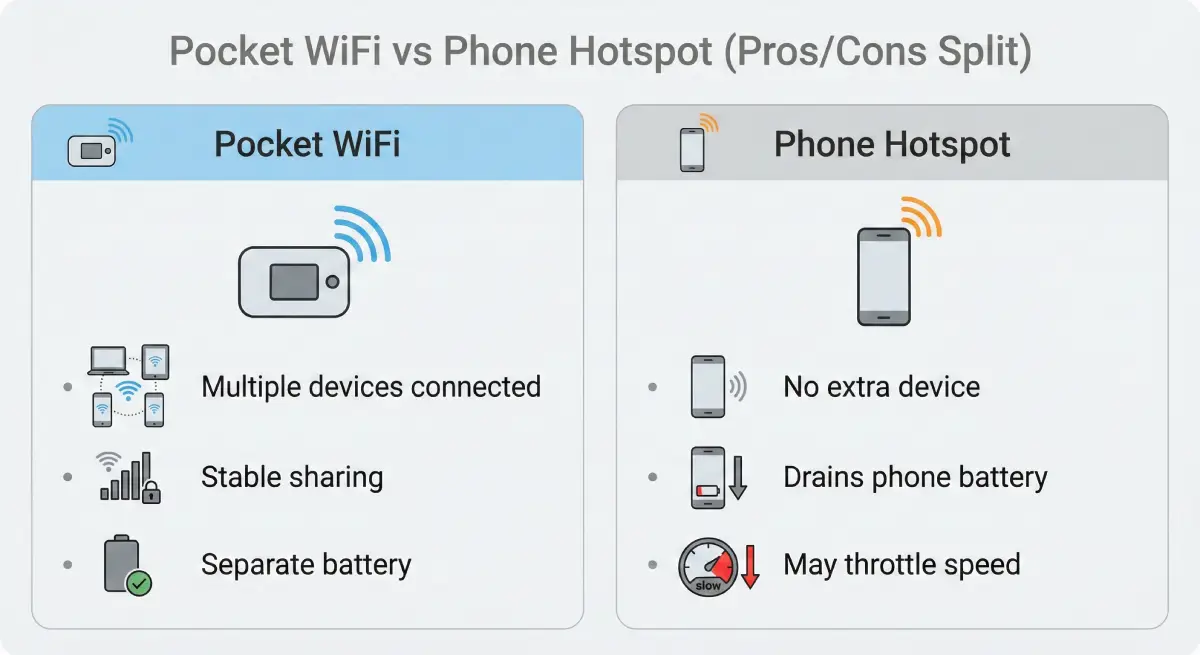
Pocket WiFi (a portable hotspot router) can be a solid choice if:
-
You’re traveling as a couple/family and want multiple devices
-
You’re working remotely and prefer a dedicated hotspot device
-
You don’t want to manage multiple phones/eSIMs
Typical pocket WiFi pricing in 2026
Pricing varies by provider and delivery method, but published examples include:
-
Unlimited data from about $6.90/day (example listing)
-
From about €3.30/day on some “global device” rentals (example listing)
Add possible delivery fees, deposits, and replacement charges if lost.
Pocket WiFi pros and cons
Pros
-
Connect multiple devices (phones, laptops, tablets)
-
One plan for the whole group
-
Keeps your phone battery healthier than constant hotspotting
Cons
-
Another device to charge and carry
-
Pickup/return logistics
-
If the device dies, everyone loses internet
When pocket WiFi is the best fit: groups, work trips, and travelers who truly need laptop-grade connectivity daily.
Option 5: Airport Wi-Fi and public Wi-Fi (useful, but be smart)
Wi-Fi is everywhere tourists go—airports, hotels, cafés—but quality and safety vary.
Airport Wi-Fi
-
San Pedro Sula Airport (SAP): Wi-Fi is available.
-
Palmerola (XPL): free Wi-Fi is commonly indicated by the airport.
Airport Wi-Fi is perfect for:
-
Ordering transport
-
Downloading offline maps
-
Confirming accommodation details
-
Installing/activating an eSIM if needed
Hotel and café Wi-Fi
Most hotels in Roatán, Utila, La Ceiba, San Pedro Sula, and Tegucigalpa offer Wi-Fi, but speed may drop at peak times. Don’t rely on it alone if you need navigation while moving around.
Public Wi-Fi safety checklist (do this every time)
-
Avoid logging into banking apps on open networks.
-
Use a VPN if you have.
-
Turn off auto-join Wi-Fi and Bluetooth when you’re done.
-
Enable two-factor authentication on email.
-
Prefer your mobile data plan for anything sensitive.
If you’re unsure how much data you’ll need, it helps to use a Data Usage Calculator before choosing a plan.
Claro and Tigo in Honduras: coverage and what travelers should know in 2026
Honduras is essentially a two-network country for tourists: Claro and Tigo. Both deliver strong 4G in major cities and along key tourist routes, but real-world experience can vary by region and congestion.
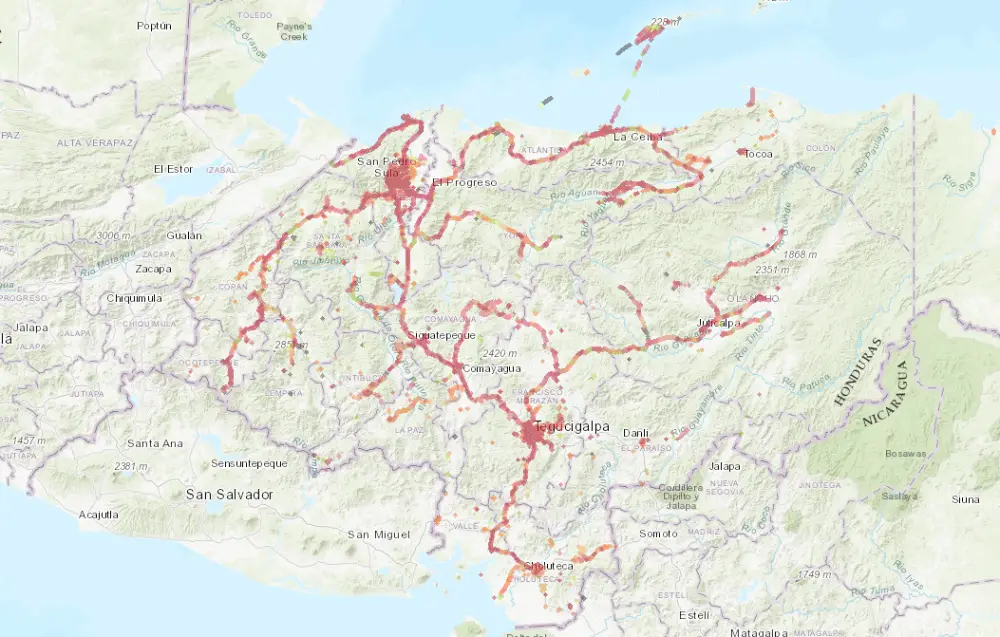
Claro Honduras: what it’s usually best for
-
Best overall network experience (recent reports): Independent measurements consistently show Claro leading on overall user experience metrics in Honduras (e.g., speed/quality categories), even when availability is similar.
-
Good fit if you prioritize “feel” (streaming, social, browsing): If you care more about smoother daily performance than squeezing the widest footprint, Claro often performs strongly in these reports.
-
Where it tends to be reliable: Major population centers like Tegucigalpa and San Pedro Sula, plus many tourist corridors, typically have solid Claro 4G service based on crowd-sourced coverage mapping.
Practical tip: If your trip is city-heavy (work cafés, hotels, frequent app use), Claro is often the “safe default” for consistent day-to-day performance.
Tigo Honduras: what it’s usually best for
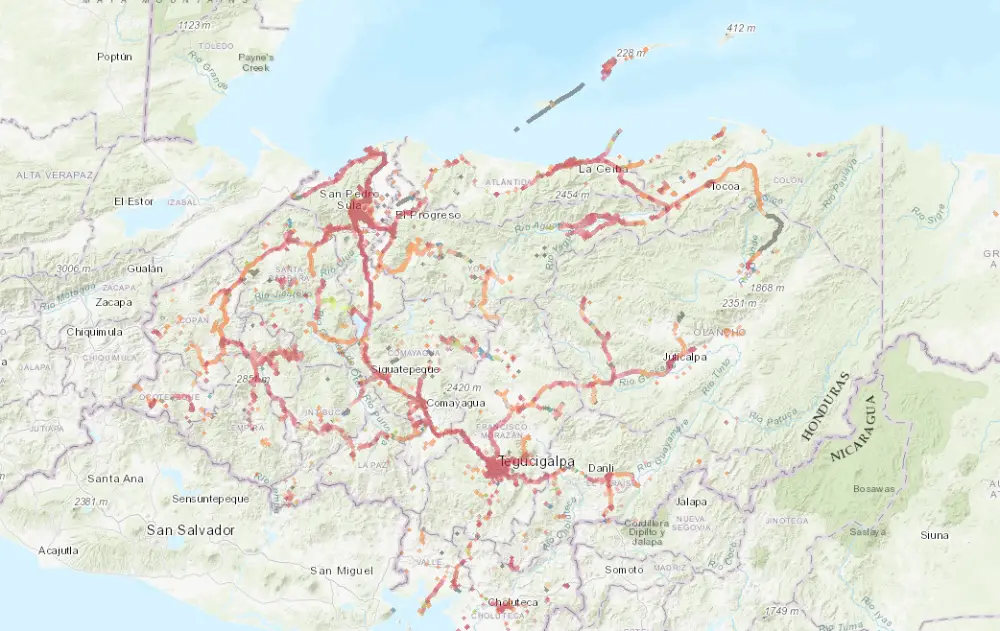
-
Coverage experience edge: Independent reports have awarded Tigo for “Coverage Experience,” meaning users tend to find 4G in more places they travel (even if speeds aren’t always the top).
-
Comparable 4G availability in many areas: Some reports show ties between Tigo and Claro on 4G Availability, which matters for keeping a stable 4G connection rather than dropping to older networks.
-
Helpful for mixed itineraries: If you’re doing a lot of road travel or bouncing between smaller towns and cities (not just resort zone), Tigo is often chosen for its broader “in-the-real-world” footprint.
Practical tip: If your route includes plenty of intercity driving or you’ll be outside dense urban areas often, Tigo may reduce the odds of dead zones.
The best setup for most travelers (simple recommendations)
-
Short trip (up to 7 days): Roafly 1GB/7 days if you’re light on data, or step up if you’ll use maps constantly.
-
1–2 weeks with daily navigation + socials: Roafly 3GB/15 days is a common sweet spot.
-
30-day trip or remote work: Roafly 10–20GB plans or a local prepaid plan, plus hotel Wi-Fi backups.
-
Family/group: Pocket WiFi can be convenient, but compare total cost vs Roafly plan per person.
For many people, the smoothest approach is: Roafly eSIM for day-one reliability + Wi-Fi at your accommodation for heavy tasks.
Check the latest eSIM packages for Honduras on Roafly and pick a plan that matches your route and data habits.