Download the App and manage your eSIMs easily
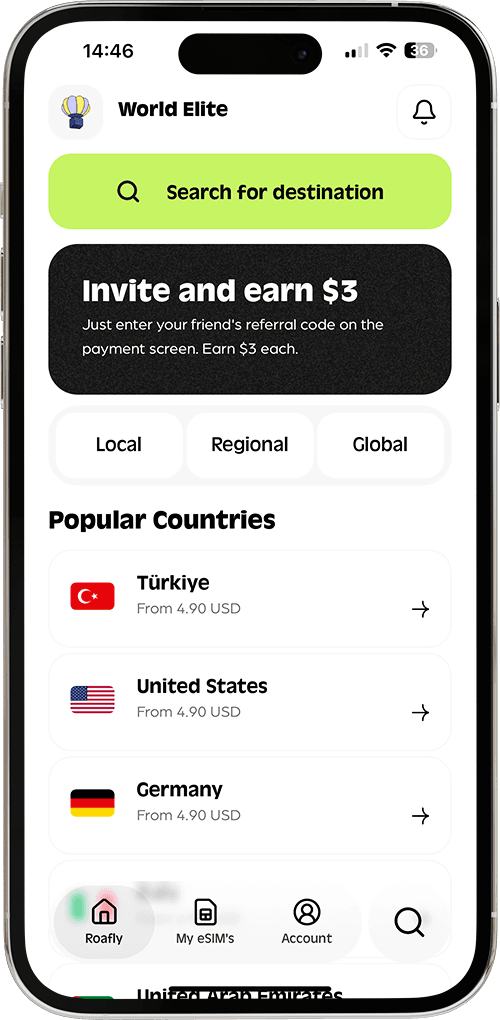
Create your order quickly
See your eSIM details
Track your remaining data
Download the App and manage your eSIMs easily
Create your order quickly
See your eSIM details
Track your remaining data
Sending a photo from Dubai and making a video call home can have different results on the same phone. Here is how to choose your connection and prepare WhatsApp before you travel.
Du
Instant delivery
From 4.50 USD

Sophie Callahan
Updated Sep 10, 2026
5 min read

Best for most trips
Du

United Arab Emirates
10 GB · 30 days
Enough for maps, bookings and everyday travel.
Hotspot supported
$24.90
From 4.50 USD
WhatsApp works in Dubai for text messages, photos and voice notes. Voice and video calls are restricted on local UAE networks, including ordinary local SIM connections and hotel Wi-Fi. The same distinction matters in Abu Dhabi and elsewhere in the United Arab Emirates.
Roafly’s UAE eSIM supports WhatsApp messaging and calls through a mobile data connection that routes internet traffic outside the UAE. To use that connection, your phone needs to be using Roafly mobile data when you make the call.
The restriction concerns live calling rather than the entire WhatsApp app. You can still exchange messages with your hotel, send holiday photos and leave a recorded voice message while using a local UAE connection.
| WhatsApp feature | Local UAE SIM or ordinary local Wi-Fi |
|---|---|
| Text messages | Available |
| Photo and video sharing | Available |
| Recorded voice messages | Available |
| Live voice calls | Restricted |
| Live video calls | Restricted |
Recorded voice messages and live calls use different functions. Sending a voice note successfully does not establish that you can start a live conversation on the same connection.
The TDRA’s VoIP guidance explains that internet voice and video calling services require licensing or approval in the UAE. Technical access through an overseas connection and regulatory approval are separate matters; the connection does not change the applicable UAE rules.
Your phone number does not determine which network carries a WhatsApp call. Connecting to hotel Wi-Fi sends your WhatsApp traffic through that Wi-Fi connection, even if your account uses a number from another country.
Local tourist SIMs use the operator’s local data service. Buying that service as an eSIM instead of a physical SIM does not, by itself, change its calling restrictions. The important question is where the internet traffic is routed.
Home-carrier roaming can behave differently when the carrier routes data through infrastructure outside the UAE. Routing arrangements vary, so check with your carrier before relying on WhatsApp calls through its roaming package. Check the roaming allowance and charges at the same time.
Automatic Wi-Fi connections can also explain an unexpected change. Your phone may switch from mobile data to a saved hotel network when you return to your room, changing the connection WhatsApp uses without changing anything in the app.
With a Roafly UAE eSIM, your phone connects to the local du network while its internet traffic exits through another country. Seeing du on your phone therefore does not mean your data is following the same route as a local du tourist SIM.
That overseas routing supports WhatsApp voice and video calls over Roafly mobile data. You can use your existing WhatsApp account to message people and call home while traveling in Dubai or elsewhere in the UAE.
The same routing can help with other internet calling apps affected by local network filtering. Individual apps may still have their own account or regional availability conditions.
Roafly supplies mobile data and does not include a UAE phone number or ordinary cellular calls and SMS. WhatsApp calls use your purchased data allowance. Regular video calls should therefore be part of your data estimate alongside maps, browsing and other travel apps.
Prepare the connection before your flight so your first task in Dubai is getting online, rather than finding installation instructions.
Check your phone and install the eSIM. Your device must support eSIM and be carrier unlocked. Follow Roafly’s setup instructions, and read our guide to buying and installing an eSIM before your UAE trip for the wider preparation details.
Keep your existing WhatsApp account ready. Update the app before departure and leave it signed in. You do not need to create a separate account simply to use a different mobile data connection.
Identify the correct data line. Label the travel eSIM clearly and select Roafly for mobile data when you arrive. Follow its setup instructions for roaming settings, and avoid accidentally using your home SIM’s paid data roaming.
Save useful contacts and instructions. Keep your hotel’s contact details, your eSIM setup information and Roafly support details available offline. Arrange an alternative way to reach anyone you need to contact urgently.
Plan WhatsApp conversations around the connection you intend to use. Hotel Wi-Fi may be enough for messages and photos, while calls through Roafly need its mobile data connection to remain selected.
Start with the connection itself. A failed call can result from the wrong data line, weak connectivity, an exhausted allowance or an app permission issue.
Check whether Wi-Fi is connected. Turn it off temporarily if you intend to call through Roafly. Confirm that the phone has switched to mobile data.
Confirm that Roafly is the selected data line. Open a webpage to check that the connection is working. If it does not load, check the eSIM setup and remaining data before troubleshooting WhatsApp.
Check the app’s permissions. WhatsApp needs microphone access for voice calls and camera access for video. Also check that the app is allowed to use mobile data.
Check both ends of the call. The other person also needs a working internet connection. If video is unstable, try a voice call to see whether a less demanding connection works better.
Contact support if the problem continues. Tell Roafly support whether messages work, whether voice or video calls fail, and whether Wi-Fi was switched off. That detail helps distinguish a mobile data issue from a problem affecting only calls.
Keep WhatsApp installed while checking these settings. Reinstalling the app is an unnecessary first step for a connection problem and can complicate access to your account while traveling.
Best for most trips
Du
United Arab Emirates
10 GB · 30 days
Enough for maps, bookings and everyday travel.
Hotspot supported
$24.90
From 4.50 USD
Choose the perfect data plan for your trip

Manage your eSIM in the app
Install, top up and track data.
