

To use a Roafly eSIM, your Android device must have an eSIM chip and be network-unlocked. Since Android menus vary by brand, here are the easiest ways to check.
Step 1: The Universal Check (Fastest Way) This method works for almost all Android devices (Samsung, Google, Xiaomi, etc.):
-
Open your Phone dialer app.
-
Dial
*#06#3. Look at the screen. If you see a 32-digit number labeled EID, your device supports eSIM! (If you only see IMEI or MEID numbers, your phone does not have an eSIM chip).
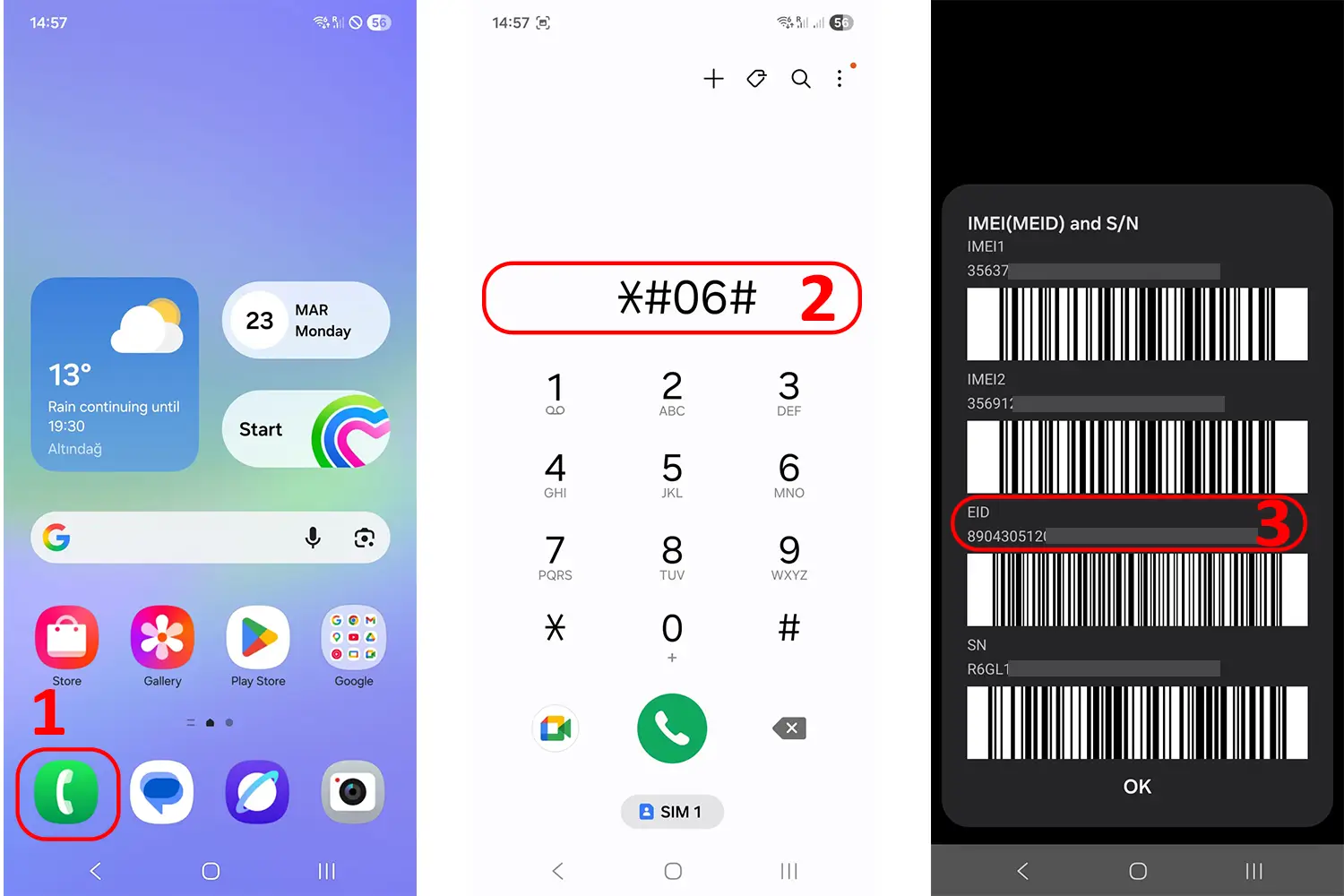
Step 2: Check via Settings (By Brand) If you want to double-check through your phone's menu:
-
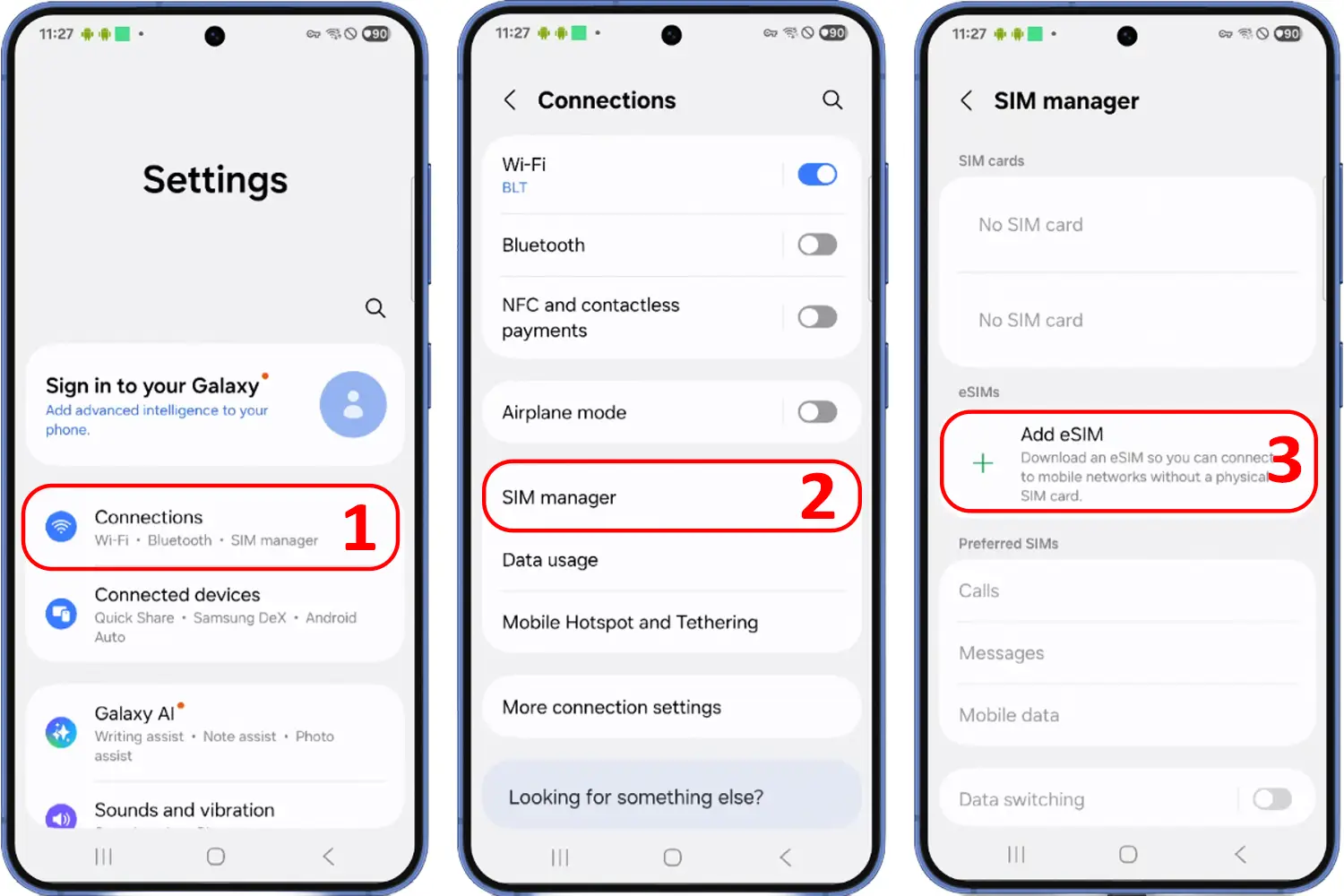
For Samsung Galaxy:
-
Go to Settings > Connections.
-
Tap SIM Manager.
-
If you see an option to Add eSIM, your device is compatible.
-
-
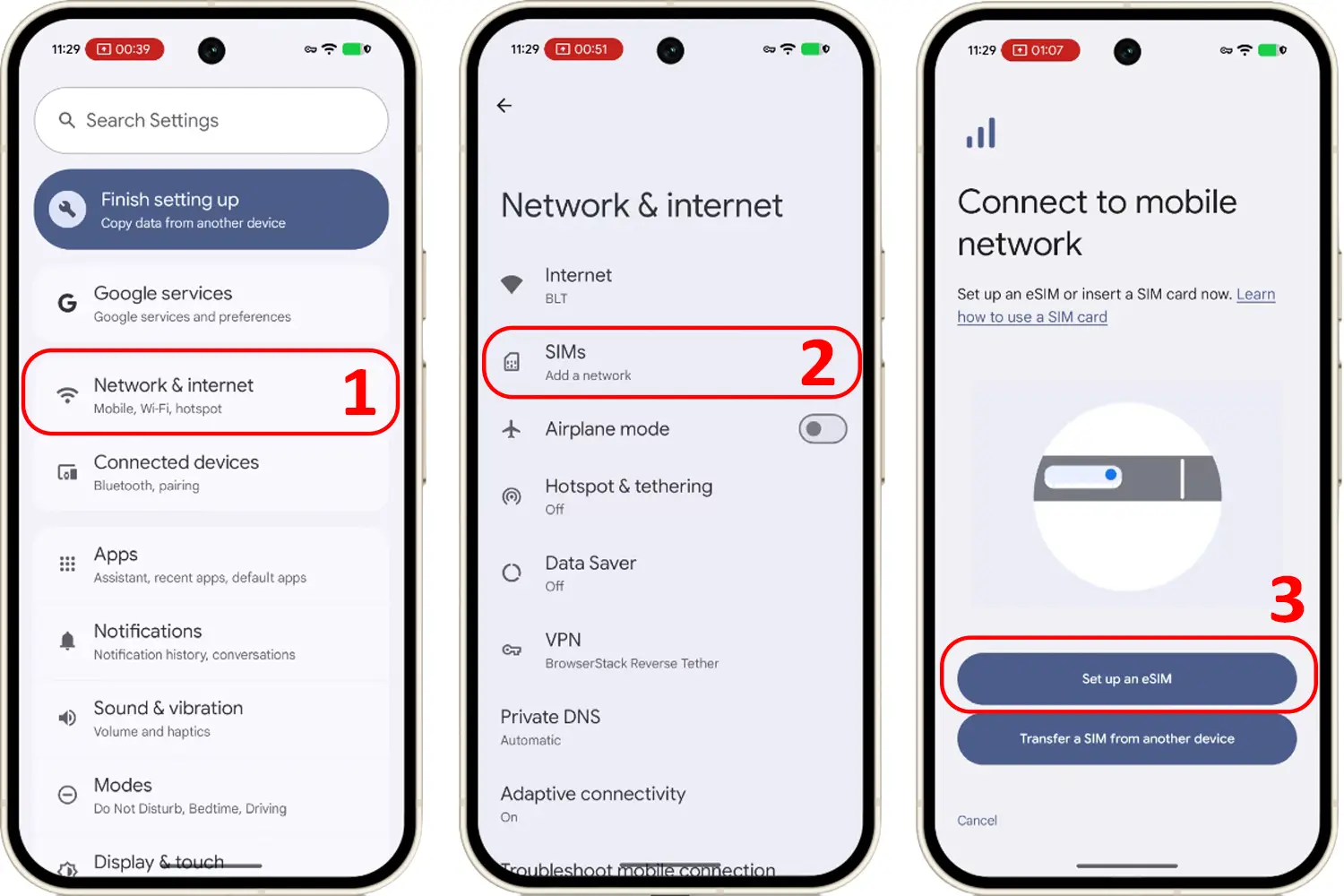
For Google Pixel:
-
Go to Settings > Network & Internet.
-
Tap the + sign next to SIMs.
-
If you see a "Download a SIM instead?" option, your device is compatible.
-
Step 3: Check for Carrier Lock (Network-Unlocked) Unlike iPhones, Androids do not have a universal settings menu to check lock status. It varies by brand and carrier.
-
Method 1: Check Settings (Available on some devices) Go to Settings > Connections (or Network & Internet) > Network Unlock. If it says "Unlocked," your device is ready for an eSIM.
-
Method 2: The SIM Swap Test (100% Reliable) If you cannot find the unlock status in your settings, the most reliable way is to test it physically:
-
Turn off your phone and remove your current physical SIM card.
-
Insert a physical SIM card from a different carrier.
-
Turn the phone back on. 👉 If it connects to the new network and can make a call: Your phone is unlocked. 👉 If it asks for a "Network Unlock Code" or says "SIM not supported": Your phone is locked to your original carrier.
-
⚠️ Step 4: Regional Device Warning Just like iPhones, many Android devices (especially Samsung, Xiaomi, and Oppo) manufactured for the Mainland China, Hong Kong, and Macau markets feature physical dual-SIM slots and do not support eSIMs. Always use the *#06# method to confirm your specific device has an EID.