Download the App and manage your eSIMs easily
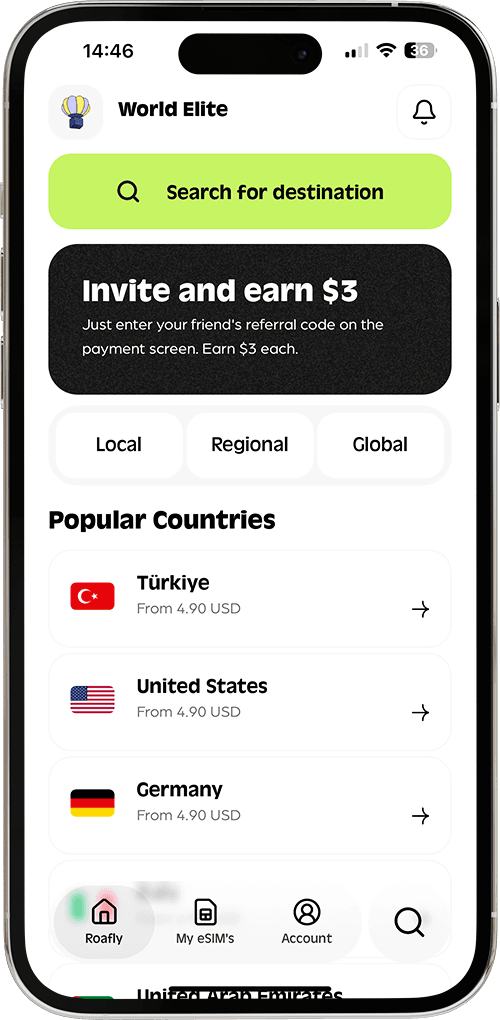
Create your order quickly
See your eSIM details
Track your remaining data
Download the App and manage your eSIMs easily
Create your order quickly
See your eSIM details
Track your remaining data
Getting mobile internet in Iceland is not difficult, but choosing the right option matters. Most travelers land at Keflavík Airport, pick up a rental car, and start relying on Google Maps, weather alerts, road condition updates, hotel check-ins, parking apps, and messaging within the first hour.
Nova, Síminn
Instant delivery
4.90 USD From 4.41 USD

Sophie Callahan
Updated Jul 9, 2026
13 min read
Jump to section
👇Best for most trips
Nova, Síminn
Iceland
10 GB · 30 days
Enough for maps, bookings and everyday travel.
Hotspot supported
$16.90
$15.21
ICELAND10 automatically applied
$4.90From 4.41 USD
10% reader discount
In 2026, the best ways to stay connected in Iceland are an eSIM, a local prepaid SIM card, pocket WiFi, or free public WiFi. Each option works, but the right choice depends on your phone, your route, your data usage, and whether you need internet immediately after landing.
Iceland has a strong mobile network for such a remote country. The main mobile operators are Síminn, Nova, and Sýn/Vodafone Iceland, and all three provide 4G and 5G coverage in populated areas. Coverage is generally reliable in Reykjavík, Keflavík, Akureyri, the Golden Circle, the South Coast, and much of the Ring Road. Coverage can become weaker in remote valleys, mountain roads, parts of the Westfjords, and the Central Highlands. nPerf’s Iceland coverage maps list 2G, 3G, 4G, and 5G layers for Síminn, Nova, and Vodafone, while operator pages also point travelers to their own coverage tools.
The most important rule is simple: download offline maps before driving outside towns. Iceland’s weather changes quickly, and mobile signal can drop in remote areas even when the main road has coverage nearby. This is especially important if you plan to visit F-roads, highland areas, glacier lagoons, isolated campsites, or rural guesthouses.
Iceland is also moving further toward 4G and 5G. Sýn announced that remaining 3G transmitters in Iceland are scheduled to be switched off in March 2026, so travelers using very old phones should check device compatibility before departure.
Choose the perfect data plan for your trip
Exclusive Reader Bonus!
Enjoy an extra %10 OFF your first Roafly eSIM purchase as a thank you for reading.
| Internet option | Best for | Typical 2026 cost | Setup time | Main advantage | Main limitation |
|---|---|---|---|---|---|
| Roafly Iceland eSIM | Most travelers, short trips, Ring Road trips, digital setup | From $4.90 | A few minutes | Install before arrival, no store visit, no physical SIM | Requires an eSIM-compatible unlocked phone |
| Airport or local prepaid SIM | Travelers who want a local SIM or calls/SMS | Around 2,000–3,790 ISK for common starter/data options, about $16–$30 | 10–20 minutes | Local operator access, physical SIM option | Requires store purchase and SIM swap |
| Pocket WiFi | Groups, families, multiple devices | Around $8–$10 per day or about 1,200 ISK/day | Pickup required | Connects several devices | Extra device, battery, return process |
| Airport and public WiFi | Light use at airport, hotels, cafés | Free | Instant where available | No purchase required | Not useful while driving or in remote nature areas |
Prices checked in July 2026. Local ISK-to-USD estimates use the Central Bank of Iceland’s listed USD reference rate of 1 USD = 125.75 ISK. Local retail availability can vary by store, airport stock, and package changes.

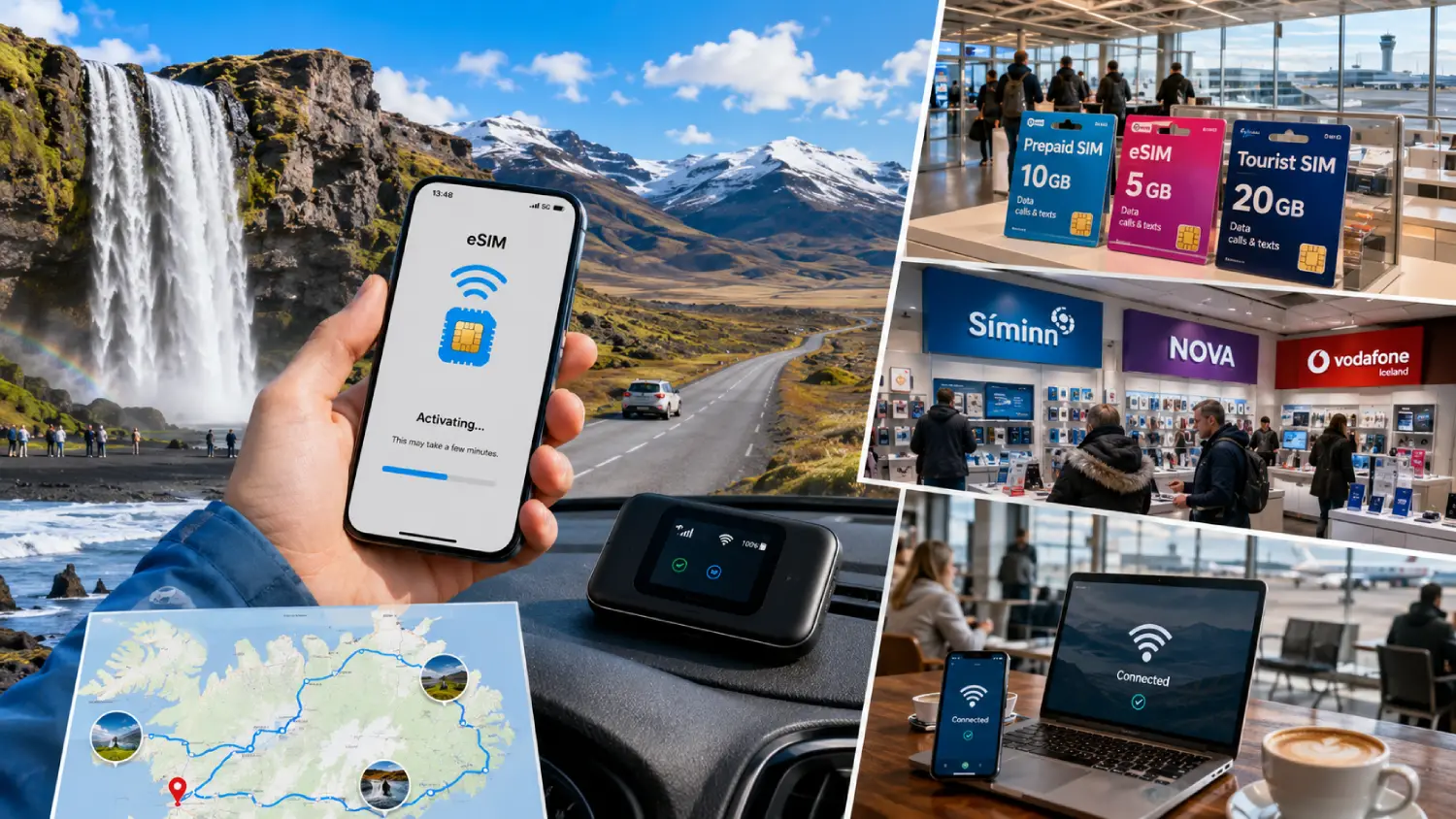
For many travelers, Keflavík Airport is the first place to look for mobile internet. KEF has retail stores in the terminal, and ELKO operates two stores at Keflavík Airport, including one in Arrivals on the 1st floor. The airport’s official shopping page lists ELKO as an electronics retailer, and Nova states that travelers whose phones do not support eSIM can get a plastic SIM card at ELKO at KEF Airport or at Nova stores.
Airport SIM availability can change depending on stock and opening hours. In practice, KEF is convenient, but it is not always the cheapest or most flexible place to compare every local package. If your flight lands late, if a specific SIM is out of stock, or if you want help setting up the SIM, you may spend more time than expected.
For 2026 budgeting, use the official local prepaid prices below as a realistic reference:
Exclusive Reader Bonus!
Enjoy an extra %10 OFF your first Roafly eSIM purchase as a thank you for reading.
The main advantage of using an eSIM is control. You can install it on WiFi before flying, land at Keflavík, turn on mobile data for the eSIM, and start using maps, messaging apps, hotel apps, ride services, and car rental details immediately.
A 3GB or 5GB plan is usually enough for light users who mainly need maps, messaging, weather, and occasional browsing. A 10GB plan is a safer choice for a one-week trip with daily navigation, social media, restaurant searches, and photo uploads. A 20GB or 50GB plan is better for heavy users, remote workers, hotspot sharing, or longer road trips.
For a deeper eSIM-focused breakdown, the Best eSIM for Iceland guide is useful before choosing your data size.
Roafly eSIM is the strongest option if you want internet ready before arrival. It is also ideal if you want to avoid airport counters, keep your main phone number active, use WhatsApp or iMessage as usual, and manage everything digitally.
It works especially well for:
Pocket WiFi is a small portable router that connects to the mobile network and creates a private WiFi network for your devices. It can be useful for families, groups, road trips with laptops and tablets, or travelers who want one shared connection in the car.
In Iceland, pocket WiFi rentals are commonly offered by dedicated providers, car rental companies, and travel services. Visit Reykjavík lists Trawire with an $8 per day offer and support for up to 10 devices via portable 5G WiFi. Hotspot.rent lists portable WiFi rental at 1,200 ISK per day, which is about $9.50 per day using the July 2026 Central Bank reference rate.
Pocket WiFi can be cost-effective for a group when several people share one device. For example, four travelers sharing a $8–$10 daily hotspot may pay less per person than buying separate data plans.
But pocket WiFi has trade-offs. You need to pick it up, keep it charged, carry it during the day, return it after the trip, and avoid loss or damage fees. If the person carrying the router walks away, everyone else loses internet. It also depends on the same mobile coverage realities as SIM cards and eSIMs, so it will not magically work in every remote highland area.
For most solo travelers and couples, an eSIM is simpler. For groups with several phones, tablets, and laptops, pocket WiFi can still be worth considering.
Free WiFi is widely available in Iceland’s travel infrastructure, but it should be treated as a backup rather than your main connection.
Keflavík Airport offers internet access, and the airport’s own data protection page refers to processing data to provide a free internet connection and manage access to guest networks. KEF’s Saga Lounge also lists free WiFi among its services.
In Reykjavík, WiFi is common in hotels, cafés, coffee houses, bookstores, and bars. Nordic Visitor’s Iceland travel guide notes that WiFi access is available throughout Reykjavík city centre, usually with free connection in places such as hotels, cafés, bookstores, and bars.
Public WiFi is useful for checking messages at your hotel, downloading a map before leaving a café, or uploading photos in the evening. It is not reliable for navigation, road trips, emergencies, or rural travel.
Do not rely only on public WiFi if you are driving in Iceland. Weather alerts, road closures, fuel stops, accommodation access codes, parking apps, and navigation often matter most when you are away from public hotspots.
Data usage depends on how you travel. Iceland is a highly visual destination, so many travelers use more data than expected for maps, weather, photos, videos, and route planning.
For a Ring Road trip, 10GB is often a comfortable minimum. For a two-week trip, van travel, or frequent hotspot use, 20GB or 50GB gives more breathing room. The Data Usage Calculator can help estimate a better package before departure.
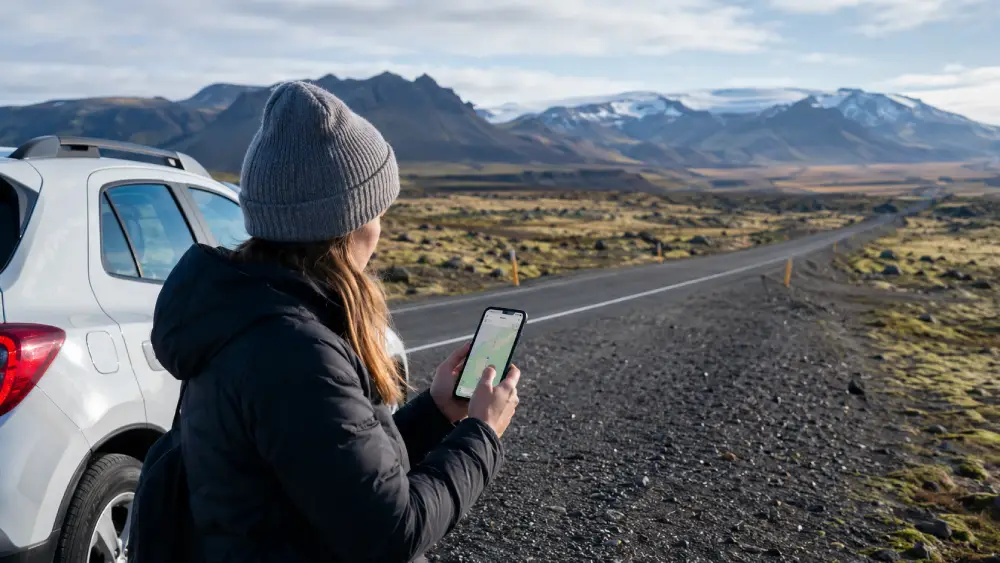
For Reykjavík, Keflavík, the Blue Lagoon, Golden Circle, and South Coast, mobile data is usually straightforward. You should expect usable coverage in most towns, around major attractions, and along common tourist routes.
The Ring Road is also generally well served, especially near towns and popular stops. However, coverage can drop between settlements, in valleys, near mountains, and in poor weather. The further you move away from Route 1, the more important offline preparation becomes.
The Central Highlands are different. Many highland areas are remote, seasonal, and sparsely covered. Even if a coverage map shows signal near a route, conditions can change quickly. If you plan to drive F-roads, hike remote areas, or travel in winter, do not treat mobile internet as your only safety tool.
Before leaving Reykjavík or a major town, download:
Mobile internet is very useful in Iceland, but safe travel also depends on offline planning.
Choose Roafly eSIM if you want the easiest setup, internet on arrival, no physical SIM card, and flexible data packages in USD. This is the best fit for most short-term visitors, road trippers, and travelers who already use WhatsApp, FaceTime, iMessage, Telegram, Google Maps, and online booking apps.
Choose a local SIM card if your phone does not support eSIM, if you want a local Icelandic number, or if you prefer a physical SIM with calls and SMS. It is practical, but less convenient on arrival.
Choose pocket WiFi if you are traveling as a group and want to connect several devices through one shared router. It can be good value, but it adds another device to charge, carry, and return.
Use free WiFi as a backup. It is useful at the airport, hotels, and cafés, but it is not enough for road trips or nature-heavy itineraries.
Set up your mobile internet before the day you fly. If you use an eSIM, install it at home on a stable WiFi connection. If you plan to buy a local SIM, make sure your phone is unlocked. If you rent pocket WiFi, check pickup and return instructions carefully.
Keep offline maps downloaded even if you have a large data plan. Iceland’s landscapes are remote, and mobile coverage can vary by terrain. Charge your phone before long drives, carry a power bank, and check weather and road alerts before leaving each stop.
For most travelers in 2026, the smoothest option is to use an eSIM for arrival and daily travel, with public WiFi as a backup at hotels and cafés.
Check the latest Iceland eSIM plans before your trip and choose the data size that matches your route.
Best for most trips
Nova, Síminn
Iceland
10 GB · 30 days
Enough for maps, bookings and everyday travel.
Hotspot supported
$16.90
$15.21
ICELAND10 automatically applied
$4.90From 4.41 USD
10% reader discount
| Local provider | Example prepaid option | Validity | 2026 price | Approx. USD |
|---|---|---|---|---|
| Síminn | Prepaid SIM Starter Pack with 10GB, 50 international minutes, 50 texts | 30 days | 3,000 ISK | About $24 |
| Nova | 2GB data package with Iceland/EEA use | 30 days | 2,590 ISK | About $21 |
| Nova | 10GB data package with Iceland/EEA use | 30 days | 3,790 ISK | About $30 |
| Sýn/Vodafone Iceland | Start package with unlimited minutes and 5GB | 30 days | 2,000 ISK | About $16 |
| Sýn/Vodafone Iceland | RISAfrelsi 10GB with unlimited minutes/SMS | 30 days | 3,390 ISK | About $27 |
Síminn lists its prepaid SIM starter pack at 3,000 ISK with 10GB, 50 texts, and 50 international minutes, while Nova and Sýn publish prepaid/Frelsi prices in their official price lists.
A physical SIM card can make sense if your phone does not support eSIM, if you want a local Icelandic number, or if you prefer having calls and SMS included. It can also be useful for longer stays where you may want to top up through a local operator.
Airport purchase is also easy to understand: land, buy the SIM, insert it, and connect. For travelers who do not want to set anything up before the trip, this feels familiar.
The biggest downside is timing. After a long flight, you may not want to compare packages, wait in line, swap SIM cards, or troubleshoot APN settings before picking up your rental car. Physical SIM cards also require an unlocked phone. If your device is carrier-locked, the SIM may not work.
Another issue is convenience. A physical SIM replaces your regular SIM unless your phone has dual-SIM support. That can make it harder to receive bank verification texts, airline notifications, or calls on your main number.
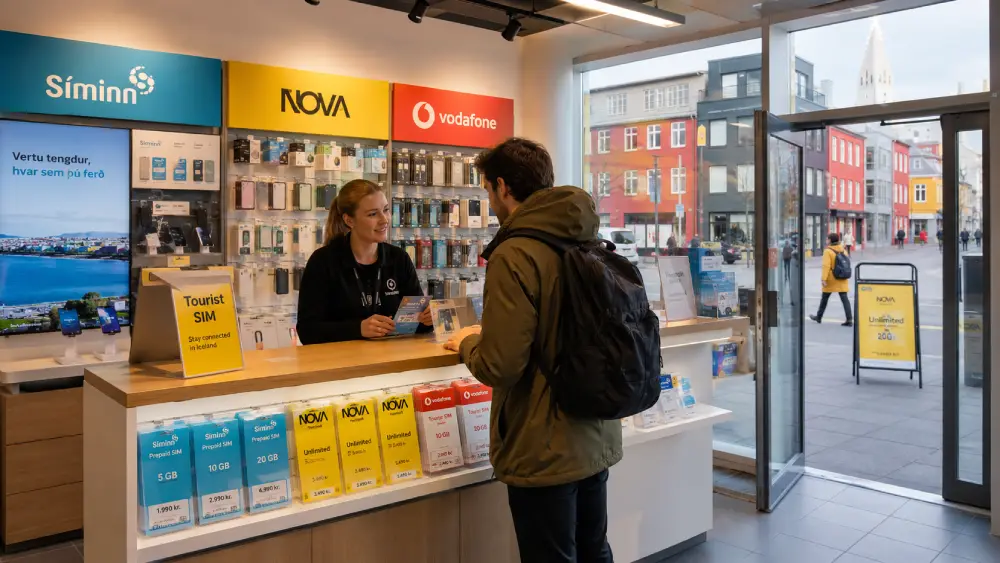
If you do not buy a SIM card at Keflavík Airport, you can look for one later in Reykjavík, shopping malls, local operator stores, electronics shops, petrol stations, and some convenience stores. Nova’s English traveler page lists stores in Kringlan, Smáralind, Akureyri, and its flagship store in Lágmúli, Reykjavík.
Local SIM cards are usually better for travelers who are staying longer than a normal vacation, need calls and texts, or prefer a local operator account. They can be practical for students, seasonal workers, van-life travelers, and people staying in Iceland for several weeks.
The downside is that buying later means you may have no mobile data between the airport and Reykjavík. That can be inconvenient if you need navigation, car rental information, accommodation check-in details, or road condition updates.
For most short trips, a local SIM is still a good option, but it is no longer the easiest one. eSIM setup has made arrival much smoother for travelers with compatible phones.
For most visitors in 2026, an eSIM is the easiest way to get internet in Iceland. You can install it before departure, keep your regular SIM in your phone, and connect after landing without visiting a store.
Roafly’s Iceland eSIM plans are designed for travel data and cover different trip styles, from light map usage to longer Ring Road itineraries. Plans are data-only, mobile hotspot is available, and setup can be completed through iOS Direct Install, QR Code, or Manual installation. The Iceland eSIM works on supported networks including Nova and Síminn, and ID verification is not required.

Manage your eSIM in the app
Install, top up and track data.
Manage your eSIM in the app
Install, top up and track data.
Choose the perfect data plan for your trip
