Download the App and manage your eSIMs easily
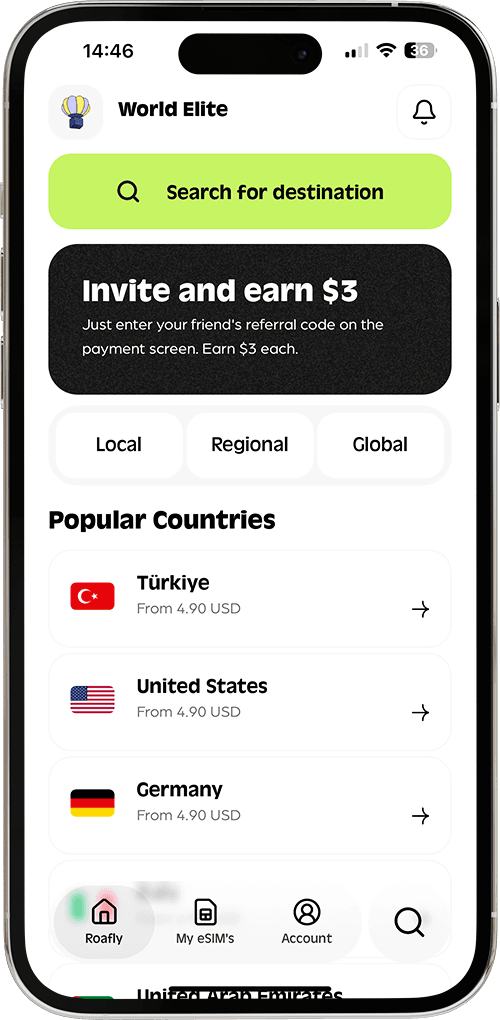
Create your order quickly
See your eSIM details
Track your remaining data
Download the App and manage your eSIMs easily
Create your order quickly
See your eSIM details
Track your remaining data
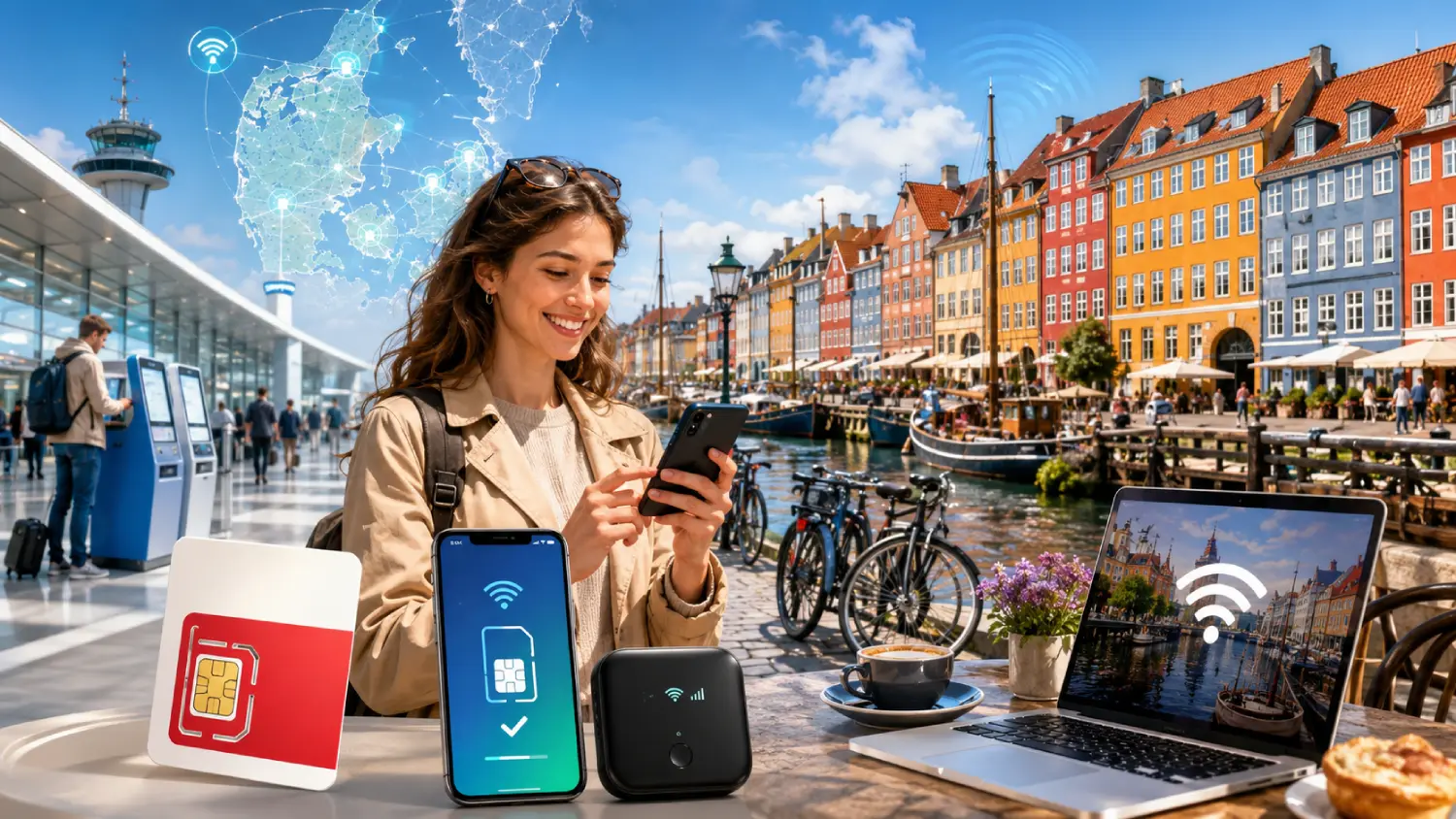
Getting online in Denmark is easy, but the best option depends on how quickly you want to connect, how much data you need, and whether you want to avoid buying a physical SIM card after landing. Copenhagen, Aarhus, Odense, Aalborg, and most tourist routes have strong mobile coverage, and travelers can choose between airport SIM cards, local prepaid SIM cards, eSIMs, pocket WiFi, and public WiFi.
TDC, 3
Instant delivery
3.90 USD From 3.51 USD

Lena Hartley
Updated Jul 11, 2026
16 min read
Jump to section
👇Best for most trips
TDC, 3

Denmark
10 GB · 30 days
Enough for maps, bookings and everyday travel.
Hotspot supported
$14.00
$12.60
DENMARK10 automatically applied
$3.90From 3.51 USD
10% reader discount
For most visitors in 2026, the most practical setup is simple: install an eSIM before arrival, keep mobile data ready for maps and transport, and use hotel or airport WiFi only as a backup.
Denmark is one of the easier European countries for mobile internet. Prices are generally reasonable, 4G coverage is widely available, and 5G is common in major cities. The main difference is convenience. Airport SIM cards are fast to buy but not always the best value. Local SIM cards can be cheap but require store visits and setup. eSIMs are the smoothest option if your phone supports them.
| Internet Option | Best For | Typical 2026 Cost | Setup Time | Main Advantage | Main Limitation |
|---|---|---|---|---|---|
| Airport SIM card | Travelers who need a physical SIM immediately | Around 29–199 DKK, roughly $4.40–$30.40 | 10–30 minutes | Available after landing | Limited selection and airport pricing |
| Local prepaid SIM | Longer stays and heavy local data users | From around 19 DKK, roughly $2.90 | 30–60 minutes | Very low local prices | Requires finding a store and changing SIM |
| Roafly Denmark eSIM | Most tourists, business travelers, short trips | From $3.90 | A few minutes | No physical SIM, install before arrival | Requires eSIM-compatible phone |
| Pocket WiFi | Families or groups with several devices | From about €3.95/day, roughly $4.30/day | Delivery or pickup required | Connects multiple devices | Extra device to carry and charge |
| Airport and public WiFi | Backup use | Free | Instant | Useful at airport, hotels, cafés | Not reliable for navigation outdoors |
Price note: DKK to USD estimates use an approximate July 2026 exchange rate of about 1 USD = 6.54 DKK. Exchange rates can change daily.
Choose the perfect data plan for your trip
Exclusive Reader Bonus!
Enjoy an extra %10 OFF your first Roafly eSIM purchase as a thank you for reading.
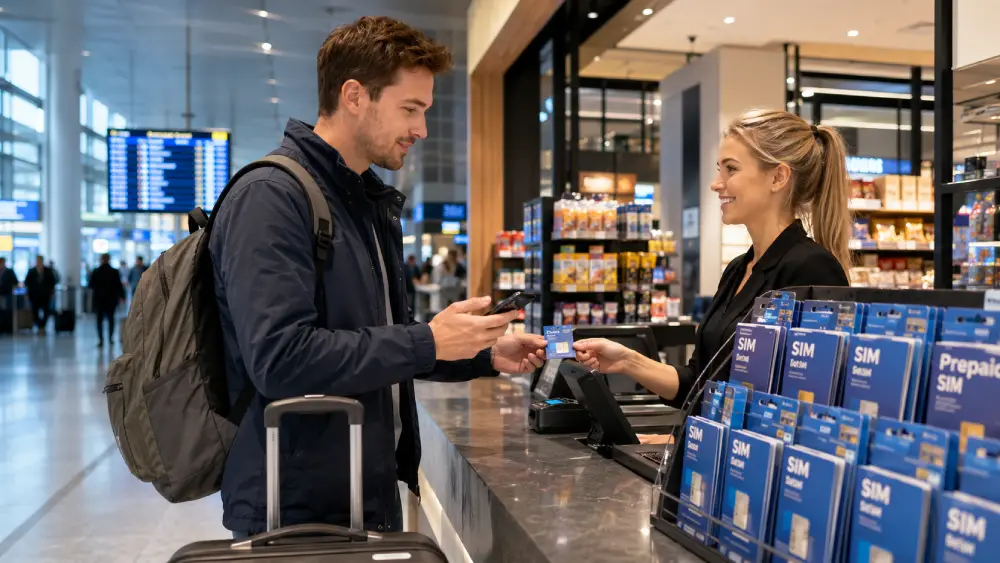
Copenhagen Airport is the main arrival point for most international travelers visiting Denmark. You can get online at the airport in two ways: use the official airport WiFi or buy a physical prepaid SIM card before heading into the city.
The airport’s official WiFi network, CPH Airport Free Wi-Fi, is available before and after security and at the gates. It is free and does not require a password, which makes it useful for checking your hotel address, messaging your driver, or opening your eSIM installation email after landing.
For physical SIM cards, airport options are usually more limited than what you find in central Copenhagen. Travel-focused reports for 2026 list prepaid SIM availability at Copenhagen Airport through places such as convenience stores, vending machines, and SIM sales points near the metro station. Reported airport SIM prices typically range from 29 DKK to 199 DKK, depending on the data package and seller. That is roughly $4.40 to $30.40.
A common airport setup is a Lyca Mobile or Lebara SIM sold through airport retail points. Some packages are inexpensive, but availability can vary by terminal, arrival time, and stock. If you land late at night, need staff support, or want a specific data package, the airport is not always the most predictable place to buy a SIM.
| Airport Option | Reported 2026 Price | Approx. USD | What to Expect |
|---|---|---|---|
| Basic airport SIM or starter SIM | Around 29–49 DKK | Around $4.40–$7.50 | Entry-level SIM, limited data or requires top-up |
| Mid-range prepaid SIM | Around 99 DKK | Around $15.10 | Better data allowance for short stays |
| High-data airport SIM | Up to around 199 DKK | Around $30.40 | Larger data package, often bought from vending machines or airport sellers |
Airport SIM cards are convenient, but they are not always the best fit for every traveler. You may need to remove your home SIM, find a SIM ejector pin, activate the plan manually, and check whether EU roaming is included if your trip continues to Sweden, Germany, Norway, or another nearby country.
A Denmark eSIM avoids most of these steps because you can install it before your flight and switch it on after landing.
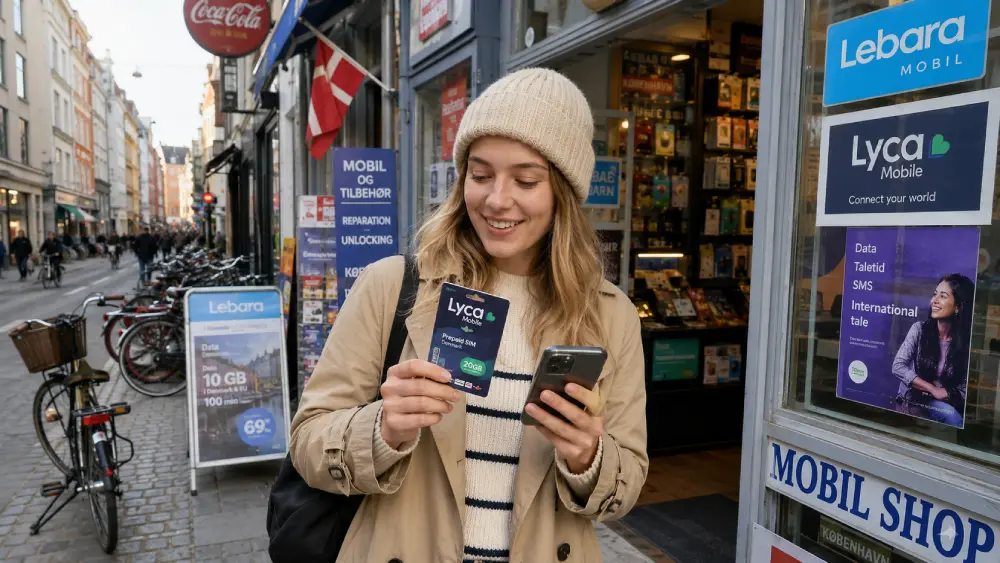
Local prepaid SIM cards in Denmark can be very affordable. They are often sold in convenience stores, kiosks, supermarkets, and mobile shops. Travelers commonly find prepaid SIM options from providers such as Lyca Mobile and Lebara in places like 7-Eleven, Circle K, Føtex, Bilka, kiosks, and electronics stores.
The lowest advertised monthly plans can start at around 19 DKK, which is roughly $2.90. This makes Denmark one of the cheaper countries in Northern Europe for basic prepaid mobile data. The trade-off is that local SIM cards are designed mainly for people already in Denmark. Some plans are marketed as monthly packages, and some may be easier to manage with a Danish payment method, local app, or online account.
For short-term tourists, the key questions are:
Lyca Mobile Denmark advertises prepaid SIM card deals starting from 19 DKK per month, with physical SIM and eSIM options. One listed plan includes 5 GB data, 5 hours of calls, 4 GB EU roaming data, and 5G for 19 DKK.
Lebara Denmark also lists entry-level mobile plans from 19 DKK per month, including 5 GB in Denmark, 5 hours in Denmark, 3 GB in the EU, and international calling minutes.
Exclusive Reader Bonus!
Enjoy an extra %10 OFF your first Roafly eSIM purchase as a thank you for reading.
For most tourists visiting Copenhagen for three to five days, 5 GB or 10 GB is a comfortable choice. For a week or more across Copenhagen, Aarhus, Odense, Skagen, or the Danish islands, 10 GB to 20 GB gives more breathing room.
Roafly supports easy installation methods including Direct Install, QR Code, and Manual setup. That means you can choose the method that fits your phone and travel timing. iPhone users can usually install very quickly with Direct Install, while QR Code setup is practical if you are installing from a laptop or another device.
For travelers comparing Denmark connectivity options before a trip, the Best eSIM for Denmark guide is a helpful next read because it focuses specifically on eSIM selection, coverage, and travel use cases.
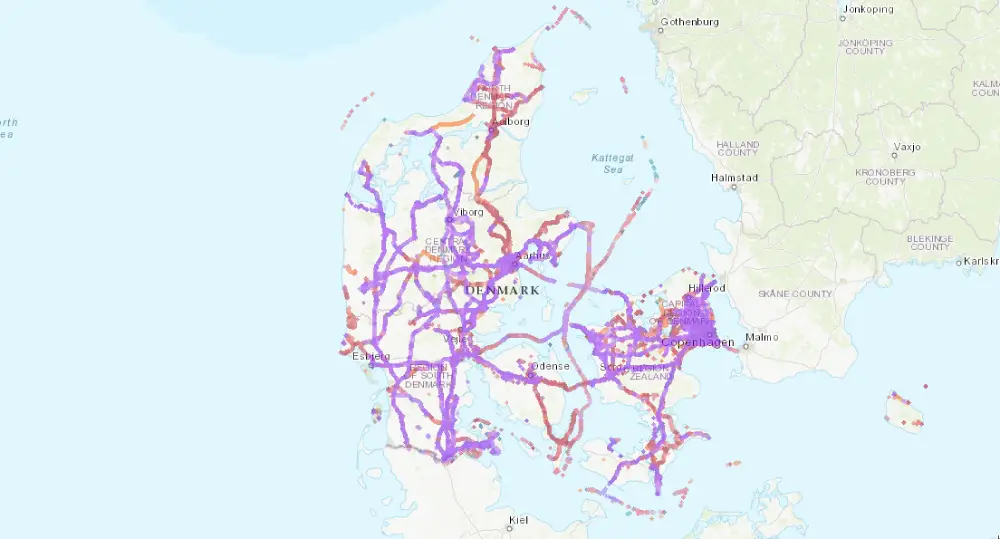
Denmark has strong mobile coverage in cities, towns, transport corridors, and most populated areas. Copenhagen, Aarhus, Aalborg, Odense, Esbjerg, Roskilde, and major rail routes generally have reliable 4G and 5G access. Coverage can be more variable in rural coastal areas, ferry routes, forests, and smaller islands, but Denmark is still one of the easier countries for mobile connectivity.
OpenSignal’s Denmark mobile network report from February 2026 found that TDC led Denmark for overall coverage experience, with a score of 9.3 out of 10, and also retained the 5G coverage experience award. The same report placed 3 lower for geographic coverage, while still active as one of Denmark’s major mobile networks.
This matters for travelers because network quality is not only about speed. Coverage is especially important when you are using maps outside Copenhagen, taking trains between cities, cycling along the coast, driving to Møns Klint, or visiting smaller towns.
In practical terms:
A phone that supports modern European 4G and 5G bands will usually perform well. If you are using an older phone from outside Europe, check that it supports common LTE bands used in the region before relying on it as your only connection.
Denmark is a digital-first travel destination. You may need mobile data for public transport tickets, train schedules, restaurant reservations, hotel check-in, navigation, translation, banking verification, and messaging. Even if you plan to use hotel WiFi, mobile data is useful every time you step outside.
A light user can manage with 1–3 GB for a short trip. This means messaging, email, maps, and basic web searches. A regular tourist should choose 5–10 GB for a city break because maps, photos, social media, and travel apps use more data than expected. Heavy users should consider 20 GB or more, especially when using hotspot, video calls, cloud backups, or remote work tools.
Best for most trips
TDC, 3
Denmark
10 GB · 30 days
Enough for maps, bookings and everyday travel.
Hotspot supported
$14.00
$12.60
DENMARK10 automatically applied
$3.90From 3.51 USD
10% reader discount
| Provider | Example 2026 Plan | Price in DKK | Approx. USD | Notes |
|---|---|---|---|---|
| Lyca Mobile Denmark | 5 GB data, 5G, calls, 4 GB EU roaming | 19 DKK | Around $2.90 | Low-cost plan, useful for light data users |
| Lebara Denmark | 5 GB in Denmark, 3 GB EU data, calls | 19 DKK | Around $2.90 | Good budget option with EU allowance |
| Airport SIM sellers | Small to high-data tourist SIMs | 29–199 DKK | Around $4.40–$30.40 | More convenient after landing, less predictable selection |
| Local kiosks and convenience stores | Starter SIM or prepaid top-up | Around 19–49 DKK+ | Around $2.90–$7.50+ | Often cheaper than airport options |
These prices are useful if you are staying in Denmark for several weeks, need a Danish phone number, or do not mind visiting a store after arrival. For a weekend in Copenhagen, a business trip, or a multi-country Europe itinerary, a local SIM can feel like extra work.
An eSIM is the easiest way to get mobile internet in Denmark if your phone supports it. You do not need to visit a store, remove your physical SIM, wait in line, or depend on airport SIM availability. You can install your Denmark eSIM before departure and activate mobile data when your plane lands.
Roafly’s Denmark eSIM is data-only, supports mobile hotspot, and works in Denmark on supported local networks including TDC and 3. The validity period starts when the eSIM connects to a supported network, which is useful for travelers who want to install before flying but begin using data only after arrival.
The best plan depends on your travel style. A 1 GB or 2 GB plan is enough for light messaging, maps, and occasional browsing during a short stay. A 5 GB or 10 GB plan is better for a city break where you use Google Maps, restaurant apps, social media, and ride-hailing daily. A 20 GB or 50 GB plan is better for longer stays, remote work, heavy hotspot use, or travelers moving between cities.
| Traveler Type | Trip Length | Recommended Data | Typical Usage |
|---|---|---|---|
| Light traveler | 2–4 days | 1–3 GB | Messaging, maps, email, light browsing |
| City-break traveler | 3–7 days | 5–10 GB | Maps, social media, restaurant searches, transport apps |
| Multi-city traveler | 7–14 days | 10–20 GB | Copenhagen, Aarhus, Odense, day trips, more navigation |
| Remote worker | 1–4 weeks | 20–50 GB | Hotspot, video calls, file sharing, cloud tools |
| Family or group | Any length | 20 GB+ or pocket WiFi | Multiple devices and shared data needs |
Try to avoid automatic cloud photo backups on mobile data unless you have a large plan. Streaming video on mobile data can also drain your allowance quickly. Download offline maps, podcasts, and playlists on WiFi before leaving your hotel.
Pocket WiFi is a portable router that creates a private WiFi network using mobile data. It can be useful for families, small groups, business teams, or travelers carrying several devices. Instead of buying separate SIMs or eSIMs for every phone, you connect phones, tablets, and laptops to one portable hotspot.
Pocket WiFi rental for Denmark is available from international rental companies. Hippocketwifi lists Denmark pocket WiFi rental from €3.95 per day, with flexible delivery options. Other providers advertise devices that can connect up to 10 devices at once, which can be useful for groups.
The downside is convenience. You need to order the device, receive it, charge it, carry it, and return it. If the battery dies, every connected device loses internet. For solo travelers and couples, an eSIM is usually lighter and simpler. For families with children using tablets, pocket WiFi can still make sense.
| Pros | Cons |
|---|---|
| Connects several devices at once | Extra device to carry |
| Useful for families and business groups | Needs charging |
| Can work for laptops and tablets | Delivery or return may be required |
| Private connection compared with public WiFi | Often more expensive than one eSIM |
| Good for shared travel data | Not ideal if group members split up |
Pocket WiFi is best when everyone travels together. If your group separates during the day, each person may still need their own mobile data.

Free WiFi is widely available in Denmark at airports, hotels, cafés, coworking spaces, museums, libraries, and some public buildings. Copenhagen Airport’s official WiFi is free and available across the terminal, including before and after security.
Public WiFi is useful, but it should not be your main internet plan. It is not always available when you need directions, when you are outside, or when you need to receive a verification code. Speeds can vary, and some networks require email registration, social login, or a local phone number.
Security is another reason to be careful. Public WiFi is shared by many users. Avoid logging into sensitive accounts, banking apps, or work systems on open networks unless you use a trusted VPN. For transport, maps, and messaging, mobile data is usually safer and more reliable.
Use public WiFi as a backup for:
Do not rely on public WiFi for:
The best way to get internet in Denmark depends on your route and travel style.
For a weekend in Copenhagen, a Roafly eSIM is usually the easiest choice. You can install it before leaving home and use it immediately for metro directions, hotel check-in, restaurant searches, and Nyhavn or Tivoli navigation. A 3 GB or 5 GB plan is usually enough for light to normal use.
For a one-week trip including Copenhagen, Aarhus, Odense, or day trips to castles and coastal towns, choose 5 GB to 10 GB. This gives enough data for maps, photos, messaging, and daily travel planning without worrying about every megabyte.
For longer stays, a local SIM can be very cheap if you want a Danish number and do not mind local setup. However, a larger Roafly eSIM plan is easier if you mainly need data and want to avoid store visits. The 20 GB or 50 GB options are better for hotspot use and remote work.
For families, there are two good options. Each traveler can use an individual eSIM, or the group can rent pocket WiFi. If everyone stays together, pocket WiFi can work well. If people split up, individual eSIMs are more reliable.
If your trip continues beyond Denmark, check your plan’s coverage before buying. Local Danish prepaid SIMs may include limited EU roaming, but the allowance can be smaller than the domestic data allowance. For example, some low-cost local plans include only a few GB for EU roaming even if the Denmark data allowance is higher.
If Switzerland is part of your wider route, it is worth checking whether your Europe plan includes it, because Switzerland is not always treated the same as EU destinations. The guide on whether an EU SIM works in Switzerland explains this issue in more detail.
Both eSIMs and local SIM cards work well in Denmark. The decision comes down to convenience, price, and whether you need a phone number.
A local SIM is attractive because entry-level packages can be extremely cheap. If you are staying for a month, need domestic calls, or want a Danish number, local prepaid plans are worth considering. The main inconvenience is the buying and activation process. You need to find a store, check the package details, and make sure the SIM works with your device.
An eSIM is better for travelers who value speed and simplicity. You can install it in advance, keep your original SIM active for calls or SMS, and start using data as soon as you land. There is no plastic SIM, no store visit, and no risk of losing your home SIM.
| Feature | Roafly Denmark eSIM | Local Prepaid SIM |
|---|---|---|
| Buy before arrival | Yes | Usually no |
| Physical SIM required | No | Yes |
| Keeps home SIM in phone | Yes, on dual-SIM phones | Not if your phone has one SIM slot |
| Danish phone number | No, data-only | Usually yes |
| Store visit needed | No | Usually yes |
| Best for | Tourists, short trips, business travel | Longer stays, local calls |
| Setup | iOS Direct Install, QR Code, Manual | Insert SIM, activate, top up |
For many travelers, the small price difference is worth the convenience of arriving already connected.
The smoothest approach is to prepare your mobile internet before your flight.
First, check that your phone supports eSIM. Most recent iPhones, Google Pixel devices, Samsung Galaxy S and Z models, and many newer Android phones support eSIM, but compatibility depends on the exact model and region.
Second, choose a Denmark eSIM plan based on your trip length. Light users can choose 1–3 GB. Most tourists should choose 5–10 GB. Heavy users or remote workers should choose 20 GB or more.
Third, install the eSIM before departure using iOS Direct Install, QR Code, or Manual setup. Keep your primary SIM active if you need to receive SMS from your bank, airline, or messaging apps.
Fourth, turn on the eSIM line after landing in Denmark. Enable data roaming for the eSIM if required by your phone settings. Make sure mobile data is assigned to the eSIM, not your home SIM, to avoid roaming charges.
Finally, test your connection before leaving the airport. Open maps, send a message, and check your hotel route while you are still inside the terminal.
For most travelers visiting Denmark in 2026, the best internet option is a Denmark eSIM because it removes the main pain points of airport SIM cards and local prepaid SIM setup. Airport SIM cards are useful if you need a physical SIM immediately. Local prepaid SIMs are cheap for longer stays. Pocket WiFi works well for groups. Public WiFi is helpful as a backup.
But for a normal trip to Copenhagen, Aarhus, Odense, Aalborg, or a multi-city Denmark itinerary, an eSIM gives the best balance of convenience, price, and reliable access.
Check the latest Denmark eSIM packages before your trip and arrive ready to connect.

Manage your eSIM in the app
Install, top up and track data.
Manage your eSIM in the app
Install, top up and track data.
Choose the perfect data plan for your trip
