


'%3e%3cg id='e'%3e%3cg id='d'%3e%3cg id='c'%3e%3cg id='b'%3e%3cpath id='a' d='M0-6v6h3' transform='rotate(18 0 -6)'/%3e%3cuse xlink:href='%23a' transform='scale(-1 1)'/%3e%3c/g%3e%3cuse xlink:href='%23b' transform='rotate(72)'/%3e%3c/g%3e%3cuse xlink:href='%23b' transform='rotate(-72)'/%3e%3cuse xlink:href='%23c' transform='rotate(144)'/%3e%3c/g%3e%3cuse xlink:href='%23d' y='-24'/%3e%3cuse xlink:href='%23d' y='-48'/%3e%3c/g%3e%3cuse xlink:href='%23e' x='24'/%3e%3cuse xlink:href='%23e' x='48'/%3e%3cuse xlink:href='%23d' x='-48'/%3e%3cuse xlink:href='%23d' x='-24'/%3e%3cuse xlink:href='%23d' x='-24' y='-24'/%3e%3c/g%3e%3c/svg%3e)
This guide covers airport SIM options, local tourist SIM prices, a simple eSIM option, pocket WiFi rentals, and what to expect from airport/public Wi-Fi in 2026.
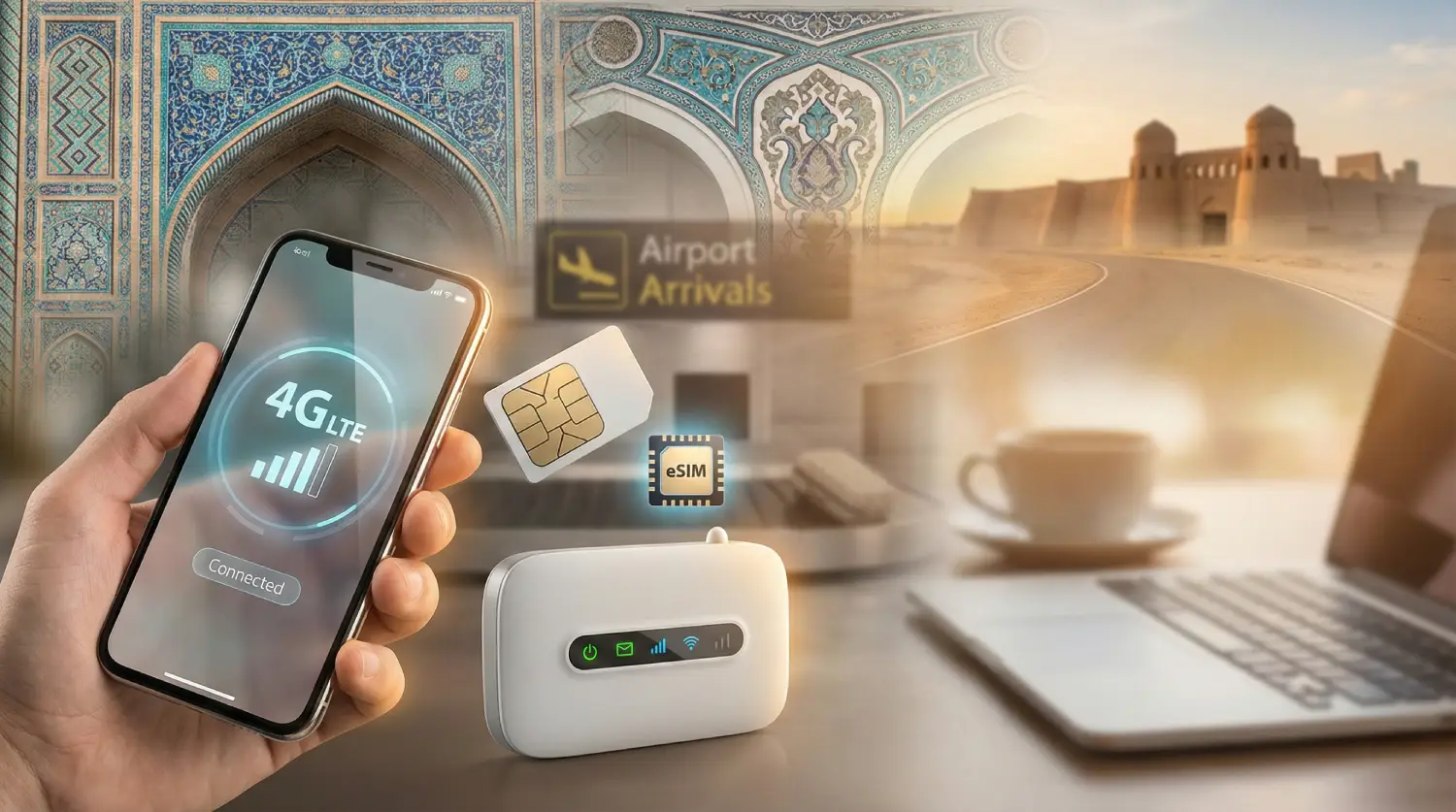
Need data in Uzbekistan? Get an eSIM!
Choose the perfect data plan for your trip

Manage your eSIM in the app
Install, top up and track data.
Quick overview: the main ways to get
Here’s a practical comparison so you can pick the best option for your trip style.
| Option | Typical cost (2026) | Setup time | Best for | Main trade-offs |
|---|---|---|---|---|
| Airport physical SIM (Tashkent) | SIM + package often starts around 50,000 UZS and up depending on data add-ons | 10–25 min | First-time visitors who want a local number right away | Store queues, passport registration, availability varies by arrival time |
| City-center tourist SIM (official shops) | Similar to airport, sometimes easier to discuss plans | 15–30 min | Longer stays, people who want help choosing packages | You need to reach a shop first (offline navigation can be tricky) |
| Roafly Uzbekistan eSIM | From $3.90 | 3–10 min | Fastest setup, no shop visits | Requires eSIM-compatible phone, data-only |
| Pocket WiFi rental | Often about $6–$7/day depending on plan | 10–20 min | Groups, multi-device travelers, laptops/tablets | Daily cost adds up, extra device to charge/carry |
| Airport/public Wi-Fi | Usually free | 2–10 min | Backup connection for messaging | Often requires SMS verification and can be less secure |
Buying a SIM card at the airport in Uzbekistan (what to expect)
Where to buy at Tashkent International Airport (TAS)
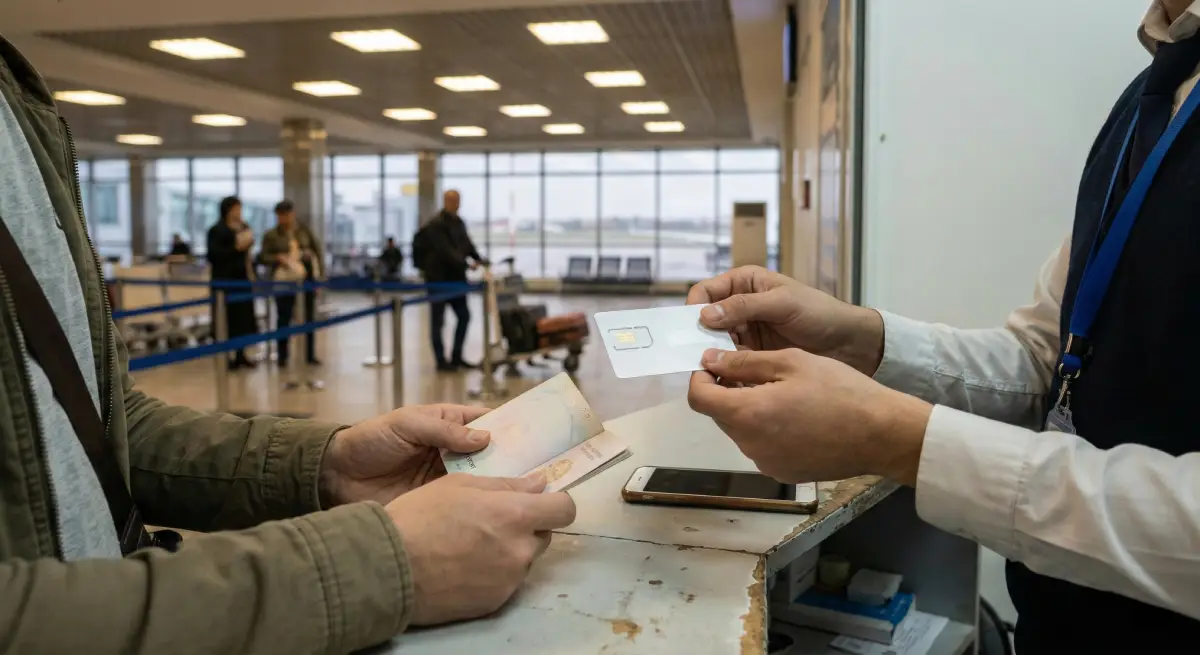
At Tashkent International Airport, operator desks/kiosks are commonly located in the arrivals area after customs and baggage claim, where you can buy a local SIM from major carriers.
In practice, airport SIM purchase usually follows this flow:
-
Show your passport.
-
Staff registers the SIM (registration is standard in many countries and is normal here).
-
They insert the SIM, set up your plan, and test the connection.
Airport SIM pricing (realistic ranges)
Exact tourist offers can change by season and operator desk. A commonly cited starting point is a Beeline tourist SIM price around 50,000 UZS (often associated with a 30-day package tier), with additional data options available.
If you want a quick “mental conversion” in 2026, the USD/UZS rate around early February 2026 is roughly 1 USD ≈ 12,300 UZS (so 50,000 UZS is roughly about $4).
Pros and cons of buying at the airport
Pros
-
You’re connected immediately for taxis, hotel messaging, navigation, and payments.
-
Staff helps with setup.
Cons
-
If multiple flights land at, lines can form.
-
You may be offered larger bundles than you actually need.
Local tourist SIM cards in the city (often the best value)
If you can wait until you reach central Tashkent (or another major city), buying from an official operator shop can be smoother, especially if you want to compare packages or add more data later.
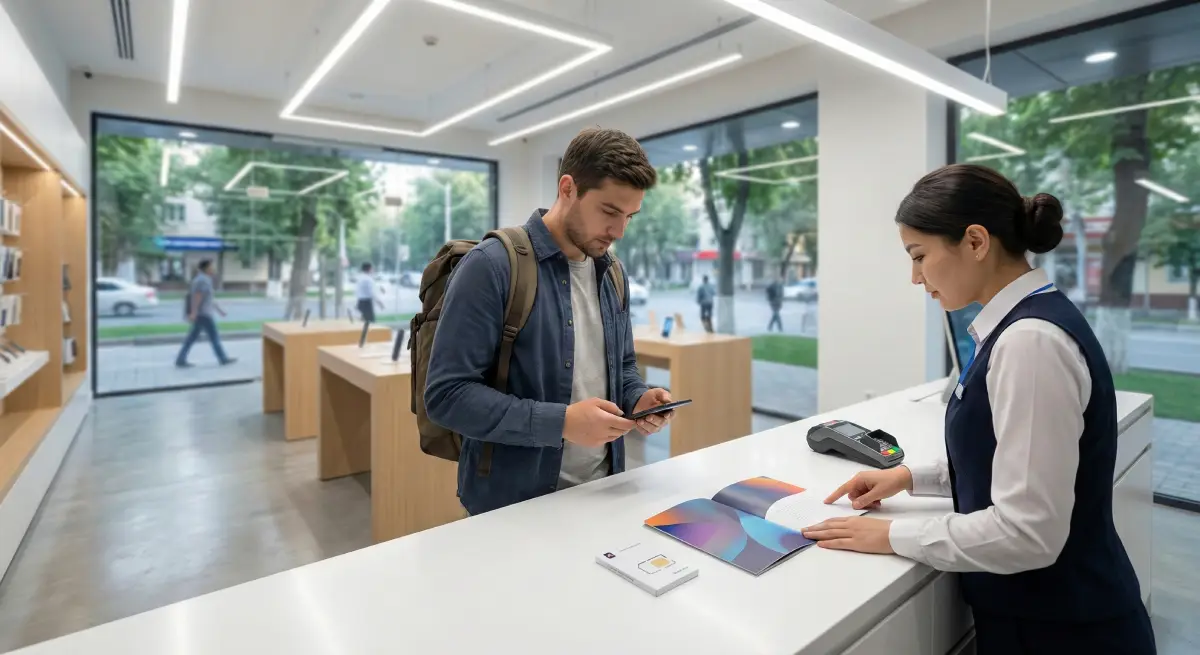
Popular operators you’ll see
You’ll commonly run into Beeline and Ucell, plus other national operators. Coverage and speed are typically strongest in cities, with more variability in rural areas and mountain regions.
Example local data package pricing (2026)
To give you a grounded idea of what local data can cost, here are examples of published package prices from operator sources:
-
Beeline Uzbekistan lists monthly internet packages such as 10 GB (30 days) for 50,000 UZS, 20 GB (30 days) for 70,000 UZS, and 50 GB (30 days) for 100,000 UZS.
-
Ucell lists packages like 20 GB for 60,000 UZS, 30 GB for 75,000 UZS, and 50 GB for 85,000 UZS (package names and exact terms can vary).
With the same early-Feb 2026 exchange-rate reference (≈12,300 UZS per USD), those are roughly:
-
50,000 UZS ≈ $4
-
70,000 UZS ≈ $5–$6
-
100,000 UZS ≈ $8
(Your card issuer’s rate may differ slightly.)
Tips for a smooth local SIM purchase
-
Bring your passport.
-
Ask staff to confirm: validity period, data amount, hotspot/tethering allowance, and how to top up.
-
Save USSD shortcodes or the operator app name (staff can show you).
The simplest option: Roafly Uzbekistan eSIM (no shop visit)
If your phone supports eSIM, you can land with a plan ready to go and avoid queues, paperwork discussions, and shop hours. Roafly’s Uzbekistan eSIM is data-only and is designed for quick installation.
Need data in Uzbekistan? Get an eSIM!
Choose the perfect data plan for your trip
Manage your eSIM in the app
Install, top up and track data.
Roafly Uzbekistan eSIM packages (USD)
-
1GB / 7 days — $3.90
-
3GB / 30 days — $7.50
-
5GB / 30 days — $12.90
-
10GB / 30 days — $19.90
-
20GB / 30 days — $27.90
-
50GB / 30 days — $49.90
Network note: Roafly connects via a local network partner (Beeline for Uzbekistan), and activation starts when the eSIM connects to a supported network.
Installation methods (pick what you prefer)
Roafly supports:
-
iOS Direct Install
-
QR Code
-
Manual setup
Practical usage tips (so you don’t waste data)
-
Download offline maps for your route (especially if you’re heading outside cities).
-
Disable background app refresh for heavy apps.
-
Use Wi-Fi for large updates and backups.
If you ever run into connectivity hiccups after landing, troubleshooting guides like fix eSIM no service after landing and I installed my eSIM but I have no internet can save time.
For a deeper eSIM-only comparison-style read, you can also check the best eSIM for Uzbekistan guide.
Pocket WiFi in Uzbekistan (best for groups and multi-device travel)
Pocket WiFi can be a strong option if:
-
You’re traveling as a couple/family/group and want to share connection.
-
You need to connect a laptop/tablet.
-
You prefer not to swap SIMs or rely on phone as a hotspot.
Typical pocket WiFi pricing in 2026
Some Uzbekistan pocket WiFi rental services list pricing around $6/day (daily 1GB cap) and $7/day (unlimited 4G), with pickup options including Tashkent Airport and hotel delivery.
Pocket WiFi trade-offs
-
Pros: Share across multiple devices; simple for groups; no need for every phone to support eSIM.
-
Cons: Daily cost can exceed a local SIM/eSIM for longer trips; you must keep the device charged; you’re carrying more thing.
Airport Wi-Fi and public Wi-Fi (useful, but don’t rely on it)
Tashkent airport Wi-Fi: common verification step
Travel reports commonly note that airport Wi-Fi may require SMS verification (you enter a phone number and receive a code). That can be annoying if you arrive with no mobile service yet.
Public Wi-Fi around Uzbekistan
You’ll find Wi-Fi in many hotels, cafes, and some restaurants in major tourist cities. Speeds vary: some places are great for calls and uploads, others are fine for messaging.
Safety tip: Treat public Wi-Fi as untrusted for sensitive tasks. Avoid logging into banking apps or entering card details unless you’re using a secure connection method (like a trusted VPN) and the network is legitimate. Broad travel security advisories frequently warn travelers about risks on public Wi-Fi networks.
Coverage and speeds in Uzbekistan (what’s realistic in 2026)
In 2026, you can expect 4G/LTE in most city areas (Tashkent, Samarkand, Bukhara, Khiva). Speeds are typically fine for maps, messaging, ride-hailing, and video calls. Outside major cities, coverage can become uneven—especially on mountain roads, desert routes, and smaller towns—where you may drop to 3G/2G or see short dead zones.
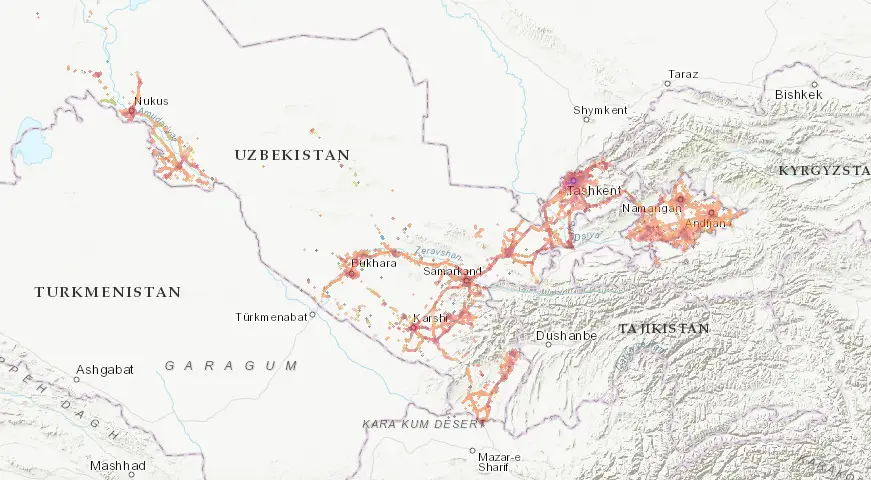
Beeline
-
Best for: Reliable everyday data in big cities and on common tourist routes
-
Typical experience: LTE is common in urban areas; generally stable for calls and navigation
-
Watch-outs: Speeds can dip in crowded spots (markets, events, peak evenings), like any network
Ucell
-
Best for: Strong urban performance and good value bundles depending on your usage
-
Typical experience: Often very similar to Beeline in city centers; good for social apps and streaming
-
Watch-outs: Performance can vary by district—worth checking your exact hotel area
Mobiuz
-
Best for: Travelers spending time in mixed city + suburban areas who want another solid option
-
Typical experience: Can be fast in many parts of Tashkent and large towns; service quality can change street-to-street
-
Watch-outs: More variability on rural stretches compared to the “big city” feel
Uzmobile
-
Best for: Coverage-first planning if your itinerary includes smaller towns
-
Typical experience: Can be dependable for basic connectivity where others fluctuate
-
Watch-outs: Data speeds may be less consistent for heavier usage (uploads, video calls) in some areas
Quick reality check for rural travel
-
Intercity highways & rail corridors: Usually okay, with occasional brief gaps
-
Mountains / deserts / remote villages: Expect patchier service and more frequent drops to 3G/2G
-
Best habit: Download offline maps before you leave city Wi-Fi, especially for day trips
Recommended setups by trip type
Short trip (3–7 days, mostly cities)
-
Roafly 1GB/7 days or 3GB/30 days if you want buffer.
-
Use hotel Wi-Fi for backups and streaming.
1–3 weeks (multiple cities + day trips)
-
Roafly 5GB or 10GB/30 days, depending on your daily usage.
-
If you need a local number for calls/SMS, consider a local SIM in the city.
Group travel or laptop-heavy work travel
-
Pocket WiFi can be convenient, especially if multiple people need stable access all day.
-
Alternatively, strong data plan with hotspot can work if your plan allows tethering.
If you’re unsure how much data you’ll need, using a data usage calculator before you buy a plan prevents overpaying.
Final tip before you land
The easiest “no-stress” approach is to have a plan ready before arrival, then use local SIM shops if you later decide you need a local phone number or extra-long validity.
Check the latest eSIM packages for Uzbekistan and pick the plan that matches your route and data habits.