Download the App and manage your eSIMs easily
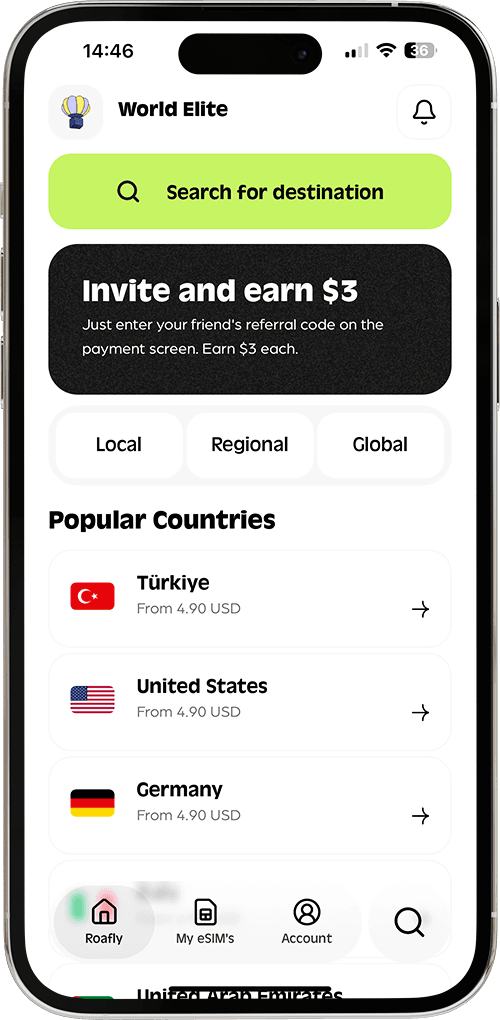
Create your order quickly
See your eSIM details
Track your remaining data
Download the App and manage your eSIMs easily
Create your order quickly
See your eSIM details
Track your remaining data
Resort Wi-Fi can cover much of a Punta Cana holiday, but it leaves a gap during transfers and days out. Our choice for a short trip is a prepaid travel eSIM alongside your accommodation’s Wi-Fi, provided your phone supports it. First, check your existing plan: some US tariffs already include Dominican Republic roaming, making another purchase unnecessary.
Claro
Instant delivery
4.90 USD From 4.41 USD

Lena Hartley
Updated Sep 11, 2026
7 min read
Jump to section
👇Best for most trips
Claro

Dominican Republic
10 GB · 30 days
Enough for maps, bookings and everyday travel.
Hotspot supported
$24.90
$22.41
PUNTA10 automatically applied
$4.90From 4.41 USD
10% reader discount
Start with what you need outside your accommodation. Messaging your transfer driver and finding a restaurant require a different setup from working on a laptop every afternoon.
| Option | Cost to compare | Best for | Main trade-off |
|---|---|---|---|
| Travel eSIM | One prepaid data package | Short trips with mobile data arranged before arrival | Requires an unlocked, compatible device; data-only plans have no local number |
| Local prepaid SIM | New line, SIM and data, plus any required fees | Longer stays or a Dominican number | Buying and setting up the line takes time |
| Home roaming | Included allowance or your carrier’s travel charge | An existing plan that already covers the trip | Benefits and charges depend on your exact tariff |
| Accommodation Wi-Fi | Included access or the property’s Wi-Fi charge | Staying mainly at the hotel | Connection ends when you leave its range |
Buying at an airport is a variation on the local SIM option. The useful question is whether a suitable seller is available when you arrive and what the complete purchase costs.
US travelers should look beyond the words “international roaming.” Your plan might include Dominican Republic usage, charge a daily fee, or provide an allowance with a lower speed after a threshold.
AT&T Premium 2.0 and Elite 2.0 include the Dominican Republic in their Latin America benefit, with talk, text and data at no extra charge under the plan’s conditions. Coverage and speeds vary, and international usage should not exceed domestic usage. If you already have suitable included service, use it.
Paid passes change the calculation. AT&T International Day Pass lists a $12 daily charge for the first line used on land; Verizon TravelPass lists $12 per line per day in its destinations outside Canada and Mexico, plus taxes and fees. At $12 per charged day, seven days of use adds $84 before applicable extras.
These carrier terms were checked in September 2026. Included benefits, qualifying plans and available travel credits can change the amount your own line pays.
Daily passes also cover services that a data-only eSIM does not, such as ordinary calls and texts. Compare the functions you need as well as the price.
If your phone is carrier-locked, resolve that before buying another provider’s SIM or eSIM. Keeping your home service with an appropriate roaming option may be the practical choice if unlocking is unavailable before departure.

Travel eSIMs suit visitors who want to arrange mobile data before leaving home. You can keep your booking details, maps and messaging available without making a SIM-shopping stop part of arrival day.
Roafly’s Dominican Republic eSIM plans use Claro and provide data-only service, with 4G where available. They do not include a Dominican phone number or ordinary voice calls and SMS.
Hotspot sharing uses your purchased allowance, with no separate hotspot quota, and top-ups are supported. That makes occasional laptop use possible, although large downloads and video meetings draw from the same data you use on your phone.
Exclusive Reader Bonus!
Enjoy an extra %10 OFF your first Roafly eSIM purchase as a thank you for reading.
Match the allowance to how you will use the connection. Someone uploading photos over hotel Wi-Fi needs less mobile data than someone using their phone as a laptop hotspot. Trip length alone is a poor way to choose a package.
Your device must support eSIM and be unlocked. Follow the installation and activation instructions supplied with your purchase while you have a stable connection.
If you have settled on eSIM but want to compare providers, our guide lets you compare eSIM providers for the Dominican Republic without repeating the full comparison here.
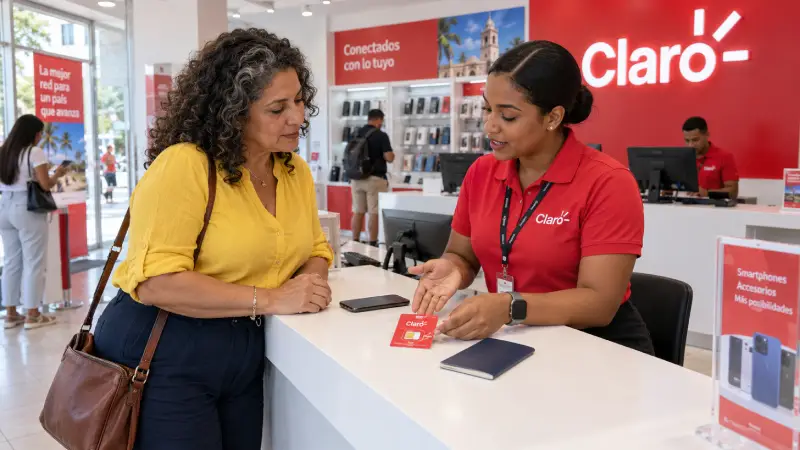
Local prepaid service is worth considering if you need a Dominican number or will stay long enough to make repeat top-ups convenient. Claro and Altice are options to investigate, with the purchase handled through a staffed operator store or authorized seller.
Bring your original passport and an unlocked phone, and ask for a new prepaid line. Tell the seller whether you need calls as well as internet.
Before paying, get one total covering the SIM or new line, your chosen data package, and any activation charge, mandatory top-up or tax. An advertised data package may be intended for an existing subscriber, so its price alone does not establish what a new visitor pays.
Validity matters too. Several short packages purchased during a two-week trip can cost more than the first offer suggests. Compare enough service to cover your stay rather than putting a few days of local data beside a month-long travel package.
Ask the employee to activate the service and test mobile data before you leave. If you are buying a physical SIM, your phone needs a compatible SIM slot; eSIM support alone is not enough.
The detailed guide to buying a local SIM in the Dominican Republic covers operator options and the questions to ask at purchase.
Punta Cana Airport has an official Wi-Fi connection guide, giving you a useful arrival option for contacting your driver or opening a reservation.
To connect:
Select Airport Punta Cana in your phone’s Wi-Fi settings.
Open a browser to reach the login page.
Select 3 hours free and complete the authentication questions.
Follow the final connection prompt.
The airport’s Wi-Fi instructions show the login sequence. Save your transfer details and accommodation address before flying so you can still find them if connecting takes longer than expected.
Airport Wi-Fi serves the terminal, not your onward journey. If your driver is already waiting, having mobile data arranged beforehand removes the need to fit a store visit into the transfer.
Anyone planning to buy after landing should use the separate Punta Cana Airport SIM options guide for location-specific information. Avoid building your arrival plan around an assumed counter, opening time or old quoted price.
Wi-Fi alone can be enough for a stay centered on the resort, especially if your transfers and excursions are already arranged. Establish whether access is included in your booking and available in your room, rather than only in shared areas.
The main limitation appears on days out. Once you leave the property’s Wi-Fi, messaging a pickup contact, changing a booking or using a transport app needs another connection. Planning how you will be getting around the Dominican Republic helps you decide whether Wi-Fi alone fits your itinerary.
Remote work needs a separate conversation with the accommodation. Ask about the connection in the actual room or workspace, upload performance and backup power. “Wi-Fi available” says little about whether a long video meeting will work well.
Mobile hotspot is a useful backup, but it depends on local reception and available data. It should not be the only preparation for an important call or a day of large file transfers.
Once your connection choice is made, a few settings help keep costs and data use under control:
Select the intended data line. With two SIMs active, set mobile data to your travel line and disable automatic data switching where your device offers it.
Manage roaming separately on each line. Keep home-line data roaming off if you do not intend to use it. Follow your travel eSIM’s instructions for its own roaming setting.
Treat calls and SMS separately from data. Keeping your home number active can still involve carrier charges. Turning off data roaming does not turn off voice roaming.
Save maps and booking details offline. Include routes beyond Punta Cana or Santo Domingo, accommodation addresses and meeting points for excursions.
Move large transfers to Wi-Fi. Pause automatic photo backups and app updates over mobile data, particularly when sharing your connection with a laptop.
Before heading out, turn Wi-Fi off briefly and open a webpage or map to test the mobile connection. It is easier to sort out a setting while you still have your accommodation’s Wi-Fi available.
Best for most trips
Claro
Dominican Republic
10 GB · 30 days
Enough for maps, bookings and everyday travel.
Hotspot supported
$24.90
$22.41
PUNTA10 automatically applied
$4.90From 4.41 USD
10% reader discount

Manage your eSIM in the app
Install, top up and track data.
Choose the perfect data plan for your trip
