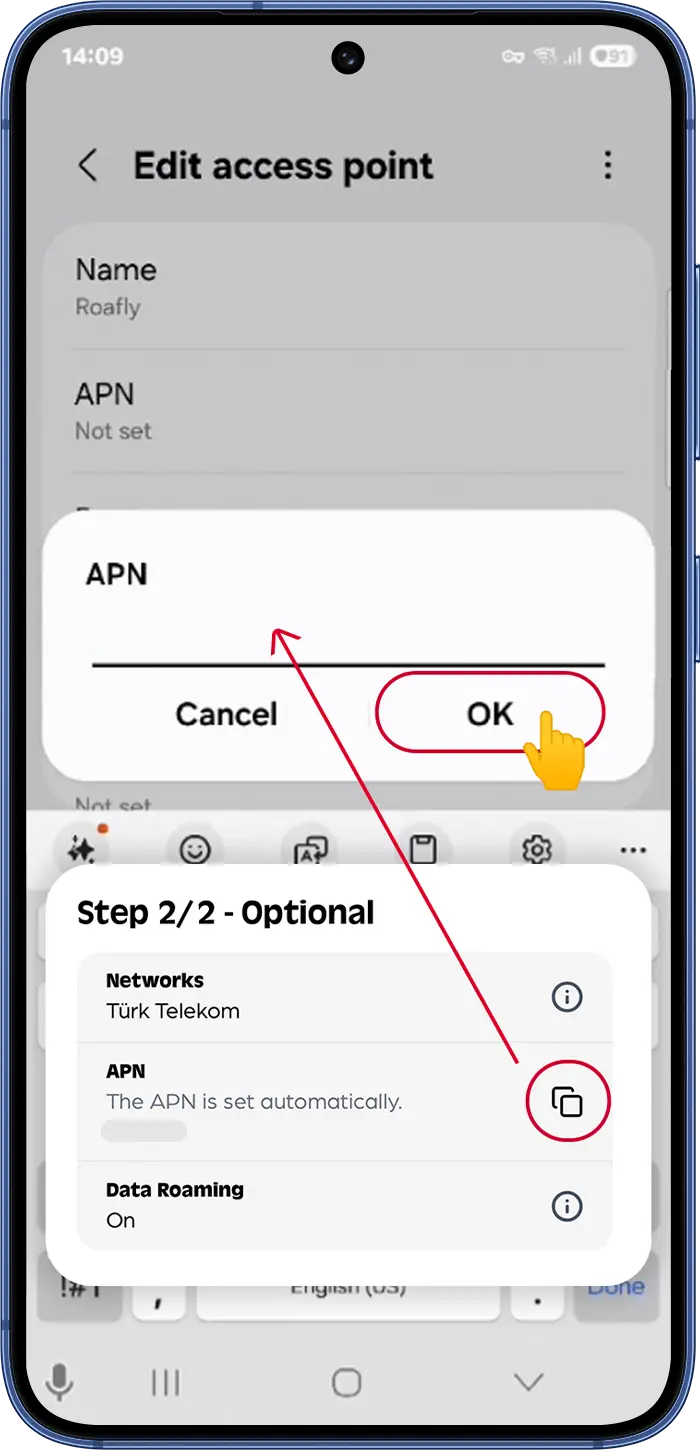
Если у вас полные полоски сигнала, но вы не можете подключиться к интернету, вам, вероятно, потребуется вручную обновить APN (Имя точки доступа).
Где найти данные вашего APN:
-
В приложении Roafly: Перейдите в Мои eSIM > Выберите свой активный eSIM > Установить eSIM -> Шаг 2/2 - Необязательно.
-
В вашем электронном письме: Проверьте электронное письмо с инструкциями по установке eSIM, которое мы отправили вам сразу после покупки.
Как изменить APN на iOS (iPhone/iPad):
-
Перейдите в Настройки > Сотовая связь (или Мобильная служба) и выберите свой eSIM.
-
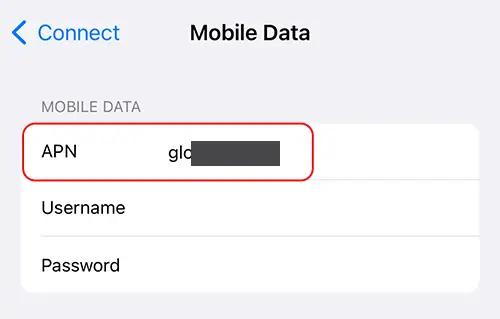
Нажмите Сотовая (Мобильная) сеть передачи данных.
-
В поле APN введите конкретное имя APN, указанное в вашем электронном письме с подтверждением заказа, приложении Roafly или на веб-сайте (Детали eSIM).
-
Важно: Каждый eSIM имеет уникальный APN. НЕ используйте примеры настроек, такие как «internet», если они не назначены явно вашему тарифному плану.
-
Оставьте поля Имя пользователя и Пароль пустыми.
Как настроить APN на Android
-
Перейдите в Настройки > Подключения > Мобильные сети > Точки доступа.
-
Убедитесь, что ваш eSIM выбран (обычно внизу или вверху экрана).
-
Нажмите Добавить (или значок +).
-
В полях Имя и APN введите конкретное имя APN, указанное в вашем электронном письме с подтверждением заказа, приложении Roafly или на веб-сайте (Детали eSIM).
Примечание: Каждый eSIM имеет уникальный APN. НЕ используйте общие примеры, такие как «internet»; используйте только тот, который назначен вашему конкретному тарифному плану.
-
Нажмите на меню с тремя точками (вверху справа), выберите Сохранить и убедитесь, что этот новый APN выбран.
⚠️ Последний шаг: Включите и выключите режим полета или перезагрузите телефон, чтобы применить новые настройки.